Introduction
In an era where email clients often come bloated with unnecessary features, social media integrations, and resource-heavy interfaces, finding a lightweight yet powerful alternative can feel like searching for a needle in a haystack. Enter Sylpheed – an email client that has quietly maintained a dedicated following for over two decades by doing one thing exceptionally well: managing email efficiently without unnecessary complexity.
This comprehensive guide explores everything you need to know about Sylpheed, from its core features and technical specifications to setup instructions and real-world user experiences. Whether you’re a long-time user considering an upgrade, a Windows user seeking a lightweight alternative to Thunderbird, or someone simply curious about open-source email clients, this article provides the information you need.
Developed initially for Unix-like systems, Sylpheed has evolved into a cross-platform solution that runs on Windows, Linux, BSD, and macOS. Its popularity stems from a philosophy that prioritizes speed, reliability, and usability over flashy features. The software is distributed under the GNU GPL, making it completely free to use, modify, and distribute.
What is Sylpheed?
Sylpheed is an open-source email client and news reader built on the GTK+ GUI toolkit. Created by Hiroyuki Yamamoto, the application was designed from the ground up to provide a simple, lightweight, yet feature-rich email management experience.
The name “Sylpheed” combines “sylph” – a mythical air spirit – with “speed,” reflecting the developer’s goal of creating a nimble, responsive email client. This philosophy remains central to the project today, with performance optimization being a primary development priority.
At its core, Sylpheed is designed to be:
- Simple and intuitive – Clean interface that’s easy to navigate
- Lightweight – Minimal system resource consumption
- Featureful – Comprehensive functionality without bloat
- Reliable – Robust data handling with minimal risk of corruption
- Cross-platform – Consistent experience across multiple operating systems
Key Features of Sylpheed
Simple and Polished User Interface
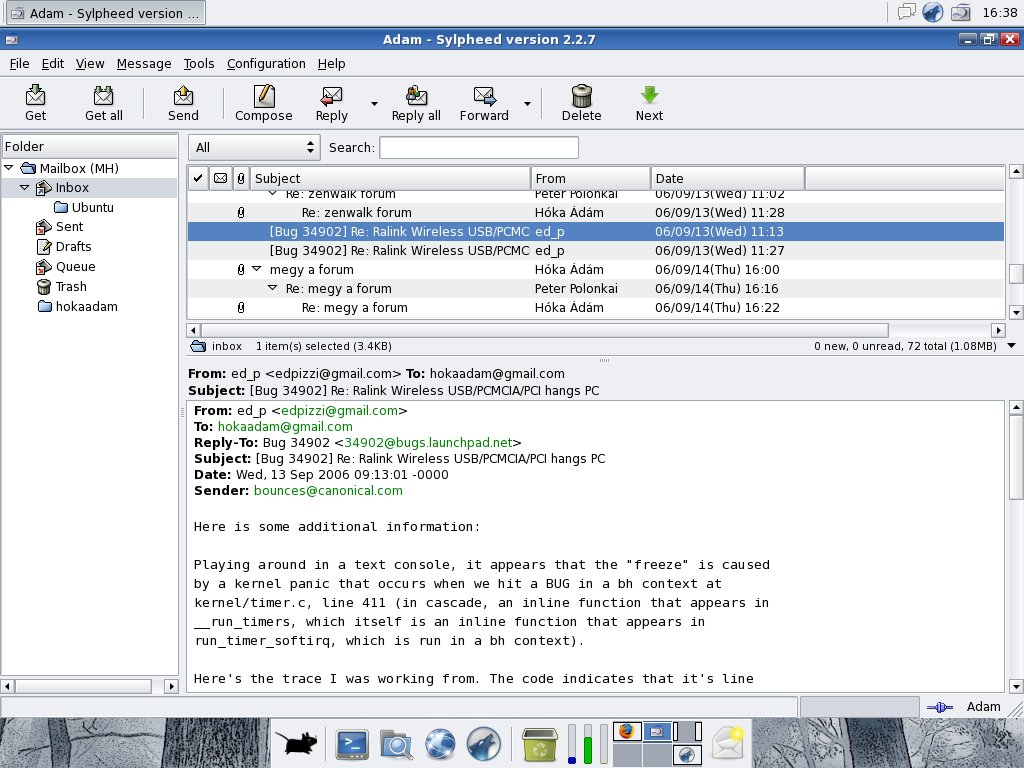
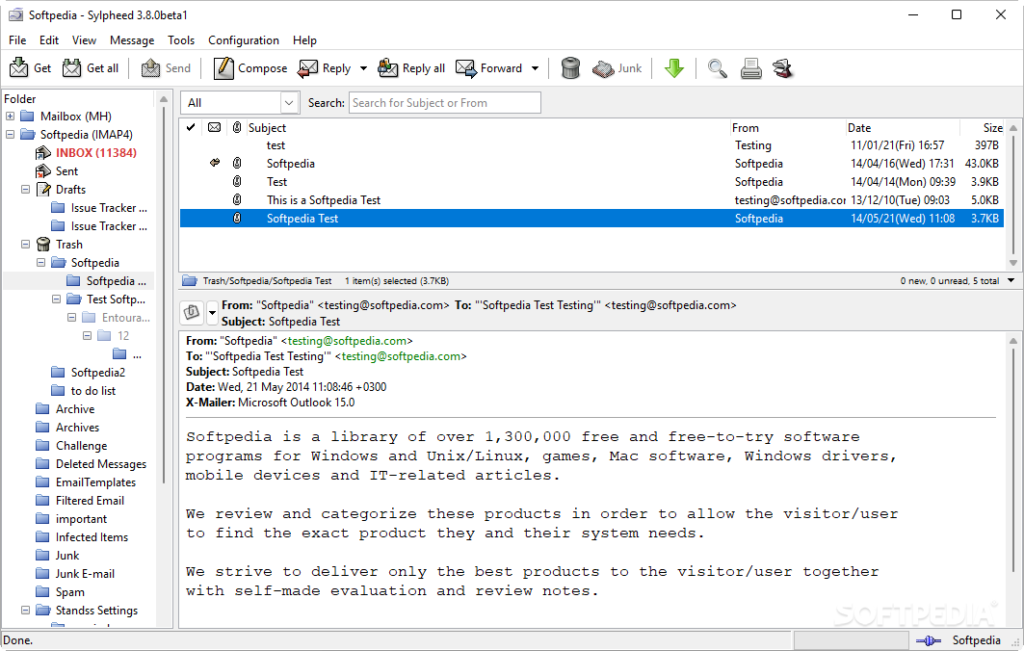
Sylpheed employs a three-paned display similar to popular email clients, making it immediately familiar to most users. The interface is designed to be clean and well-organized, avoiding unnecessary clutter that can make email management overwhelming.
The left pane displays your folders and accounts, the upper-right pane shows message lists, and the lower-right pane displays the selected message content. This layout, similar to what users experienced with Outlook Express, provides efficient navigation and message management.
Lightweight and Fast Performance
One of Sylpheed’s most celebrated features is its exceptional speed and efficiency. The software is written entirely in C language without interpreters or virtual machines, resulting in responsive performance even on older hardware.
Users consistently report that Sylpheed handles folders containing tens of thousands of messages without slowdown. This performance comes from careful implementation where every portion of the code prioritizes speed and efficiency.
A user on the Linux Mint community noted: “It is tiny, it is lightweight, that is, fast (!!), and doesn’t slow down anything. I can open mail application even when I have two browsers with over 100 tabs, plus 5 Libreoffice documents, and sometimes a video editor already running”. This testimonial highlights the software’s ability to coexist with resource-intensive applications without compromising system performance.
High Reliability and Data Protection
Sylpheed uses the MH (Message Handling) format, where each individual email is stored as a separate file. This approach offers several significant advantages over traditional mbox formats:
Data Integrity: Storing messages as individual files reduces the risk of data loss. If one file becomes corrupted, it doesn’t affect the entire mailbox.
Easy Backup and Migration: Users can simply copy folders containing their email files, making backups straightforward and migration between systems simple.
No Compaction Required: Unlike some email clients that require periodic mailbox compaction to prevent performance degradation, Sylpheed doesn’t need this maintenance. Moving or deleting messages is instant because it’s just file operations.
The reliability of this approach was validated by a user who appreciated “no-nonsense, elegant, customizable” design that works “great with pop3/imap” while avoiding the “stupidity of Windows Mail and other insufferable, cutsey programs”[citation:URL].
Powerful Filtering and Search Capabilities
Sylpheed includes sophisticated filtering and search functionality that helps users manage large volumes of email. The filtering engine allows users to specify conditions based on:
- Message headers
- Body content
- Message size
- Date
- Flag status
- External command output
When conditions are met, Sylpheed can perform various actions including moving messages, copying them, deleting from server, setting flags, or executing external commands.
The search function leverages the same powerful filtering engine, enabling users to find messages quickly based on multiple criteria. The quick search feature allows rapid narrowing of message lists by subject strings or flag types, while search folders can save results for easy access.
Junk Mail Control
Sylpheed incorporates a learning-type junk mail control system that can automatically filter spam without requiring manual rule creation. This system leverages external commands and supports popular Bayesian filtering tools like bogofilter and bsfilter.
The flexibility of this approach allows advanced users to utilize any program as an external command for spam filtering, while less technical users can rely on the default configurations. The Windows version includes SylFilter in the installer, making spam filtering accessible to users on that platform.
Robust Security Features
Security is a priority in Sylpheed, with support for several important protections:
GnuPG Integration: Users can sign and encrypt messages using the GNU Privacy Guard (GnuPG) standard, ensuring message authenticity and confidentiality.
SSL/TLSv1 Support: Connections to mail servers can be encrypted using SSL/TLSv1, protecting credentials and message content during transmission.
IPv6 Support: The software supports next-generation Internet protocol, ensuring compatibility with modern network infrastructure.
Extensive Protocol Support
Sylpheed supports a comprehensive range of email protocols:
- POP3 – Standard Post Office Protocol for retrieving email
- IMAP4rev1 – Advanced protocol for managing messages on servers
- SMTP – Simple Mail Transfer Protocol for sending messages
- NNTP – Network News Transfer Protocol for Usenet newsgroups
This broad protocol support ensures compatibility with virtually all email services and configurations. The software also supports IPv6 networking as a default feature.
Internationalization and Multilingual Support
With translations available in approximately 30 languages, Sylpheed demonstrates a strong commitment to internationalization. The software handles character encoding conversion robustly, including advanced Japanese language support with automatic code page detection for ISO-2022-JP, EUC-JP, Shift_JIS, and UTF-8.
Flexibility Through External Commands
Advanced users will appreciate Sylpheed’s ability to integrate with external commands and applications in various contexts:
- Actions – Pass selected messages to external programs for processing
- External Editors – Use custom editors for composing messages
- Receiving Integration – Utilize external commands like fetchmail or procmail for email retrieval
- External Web Browser – Define specific browsers for opening links
This flexibility makes Sylpheed highly adaptable to various workflows and technical requirements.
Technical Specifications
Based on the CNET listing, the version reviewed is Sylpheed 3.3, which runs on Windows platforms including Windows 8, Windows 10, Windows Vista, Windows XP, and Windows 7[citation:URL]. The software has approximately 3,118 total downloads with recent usage indicating continued active use[citation:URL].
Later versions have added several improvements:
- Enhanced Attachment Handling – Graphical labels and popup menus for attachments
- Improved Quick Search – Multiple keyword search capability
- Context Menu Accessibility – Menu key or Shift+F10 support
- Windows-Specific Features – IPv6 support, SylFilter inclusion, sound notifications, and Windows shortcut follow
The Windows version is distributed as a 32-bit application requiring no additional dependencies, as all necessary GTK+ libraries are included in the installer. For users on modern systems, a 64-bit version is available through package managers or compilation from source.
How to Set Up Sylpheed
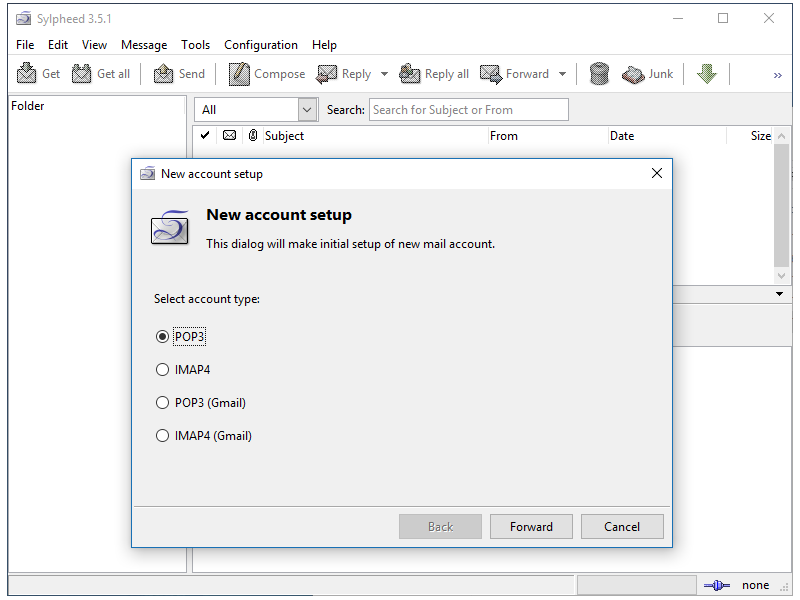
Setting up Sylpheed is straightforward, with a configuration wizard that guides new users through the initial steps. The following sections detail setup for different email configurations based on the official documentation.
First-Time Setup
When you launch Sylpheed for the first time, a pop-up window will ask you to define the directory where your email messages and folders will be stored. On Windows, the default location is typically C:\Windows\Application Data\Sylpheed\Mail or %APPDATA%\Sylpheed\Mail on newer systems.
After setting the directory, the account preferences window appears, allowing you to configure your email accounts. The basic setup involves:
- Creating a new account
- Naming the account
- Entering your name and email address
- Selecting the appropriate protocol (POP3, IMAP, or local)
- Entering server information
- Setting up authentication as needed
POP3 Account Setup
For users retrieving mail via POP3, the setup process includes:
- Open the Configuration menu and select “Create new account”
- Under the Basic tab:
- Name the account (e.g., “Personal Email”)
- Enter your name and email address
- Select “POP3 (normal)” from the Protocol dropdown
- Enter the incoming server information
- Enter the outgoing SMTP server information
- Configure additional options:
- Receive Tab – Advanced POP3 options
- Send Tab – Header and SMTP authentication settings
- Compose Tab – Add signature files if desired
- Advanced Tab – Modify port numbers (usually not necessary)
IMAP Account Setup
IMAP configuration follows a similar process to POP3 but with the protocol set to IMAP4rev1 instead of POP3. IMAP users should be aware of a limitation mentioned in CNET reviews: automatic filtering of new messages in the INBOX folder of IMAP4 accounts is supported[citation:URL].
Local Unix Mailbox Setup
For users accessing local Unix mailboxes, the setup differs slightly:
- Follow the same initial steps to create an account
- Under the Basic tab, select “None (local)” from the Protocol dropdown
- The receiving server field will be grayed out
- Enter the SMTP server information for outgoing mail
- The Receive tab won’t be used since mail is delivered locally
Troubleshooting Common Setup Issues
From user reviews, some common setup challenges include:
Gmail Configuration: Multiple users report that Gmail works well with Sylpheed. One review noted: “This is very easy to use, and is the first email client that actually recognized my gmail account”[citation:URL].
Hotmail/Outlook Configuration: Some users have reported difficulty configuring Hotmail accounts, noting “Can’t seem to get hotmail to work”[citation:URL]. This is likely due to OAuth2 requirements that Sylpheed doesn’t currently support.
HTML Display: By default, Sylpheed focuses on text email, with limited HTML rendering. Users seeking full HTML support may need to use external tools or consider alternative clients.
Sylpheed vs. Other Email Clients
Sylpheed vs. Thunderbird
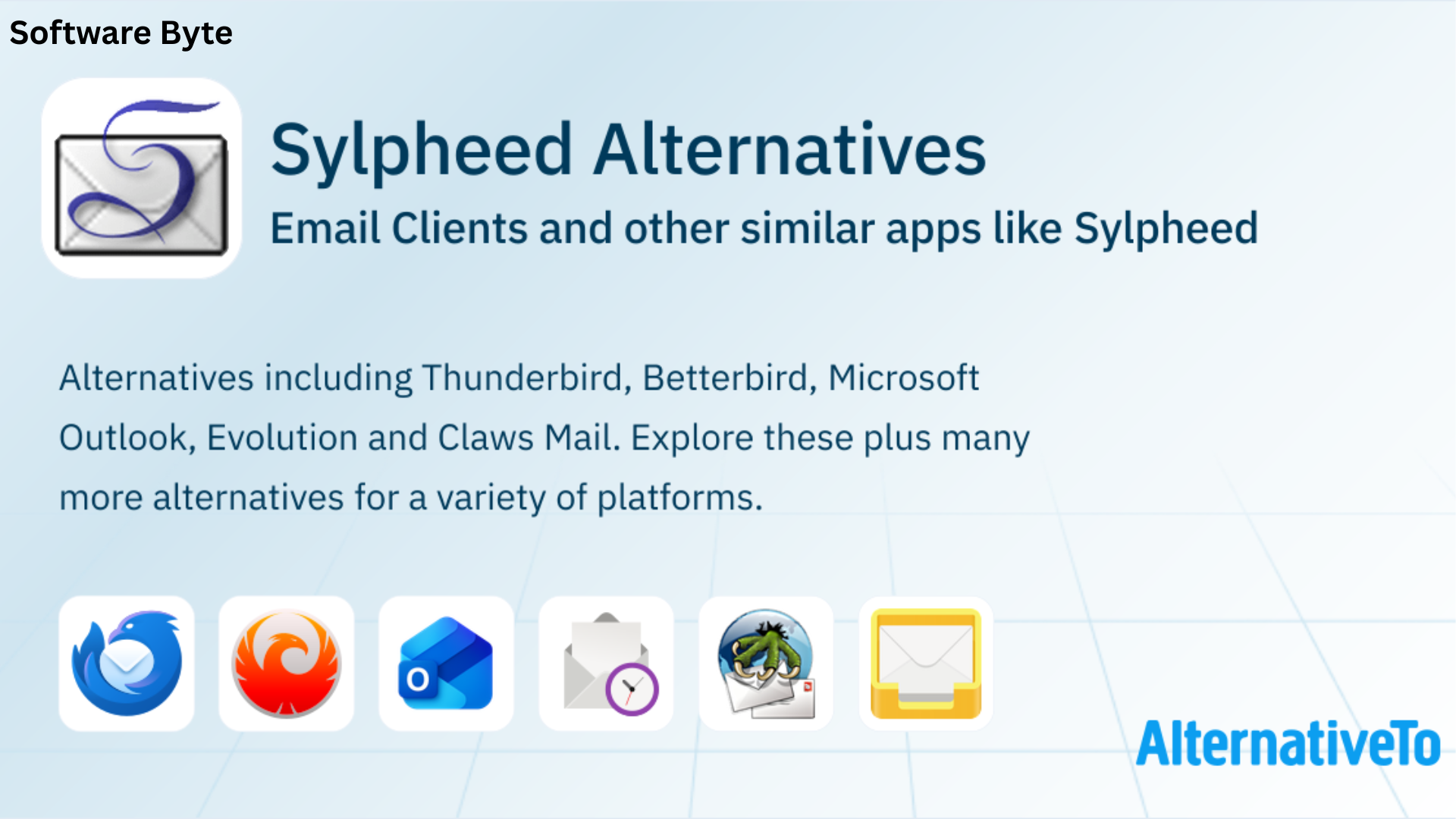
Thunderbird, Mozilla’s popular email client, is often considered Sylpheed’s primary alternative. While both are open-source and cross-platform, they take different approaches:
Performance: Sylpheed is significantly lighter on system resources. A user noted that “running sylpheed (with 4 e-mail accounts) needs less RAM than (opening) another tab in firefox”. Thunderbird is known to require more memory and can become sluggish with large mail archives.
Interface: Thunderbird offers a modern, feature-rich interface with tabs, while Sylpheed maintains a cleaner, more traditional layout. Some users find Thunderbird’s UI “less intuitive” and “dated” compared to modern expectations. Sylpheed’s interface, while also traditional, is praised for its simplicity and organization.
Features: Thunderbird provides more integrated features like a calendar, RSS reader, and extensive add-ons. Sylpheed focuses on core email functionality, with fewer extensions and integrated services.
Modern Protocol Support: Thunderbird keeps current with modern authentication protocols like OAuth2, while Sylpheed currently lacks OAuth2 support, limiting compatibility with some modern services like Outlook.com.
Community and Updates: Thunderbird enjoys a larger community and more frequent updates, while Sylpheed’s development pace is slower but stable.
Sylpheed vs. Claws Mail
Sylpheed and Claws Mail share a common origin. Claws Mail began as a fork of Sylpheed when developers wanted to create a testbed for new features. Over time, the codebases diverged significantly.
Features: Claws Mail offers more features and customization options, including better plugin support and more flexible filtering. However, some users find Claws Mail’s support community can be less welcoming.
Complexity: A user who tried both noted: “For 5 years (since I switched to Linux) I tried wrestling Claws… their support is very rude (likely due to the unwieldy mailing list format) and there are just TOO many options”. Sylpheed is generally considered simpler to use.
User Interface: Both clients maintain similar GTK-based interfaces, though Claws Mail offers more customization options.
Sylpheed vs. Geary
Geary is a modern GNOME email client designed for simplicity and integration with the GNOME desktop.
Protocol Support: Geary only supports IMAP, while Sylpheed supports POP3, IMAP, SMTP, and NNTP.
Target Users: As one user observed: “I needed something equally simple, easy and lightweight for POP; Geary sadly only provides IMAP. After reading around a bit, I finally decided to try Sylpheed”. Sylpheed is better suited for users needing POP3 or diverse protocol support.
Sylpheed vs. Outlook
Microsoft Outlook represents the opposite end of the email client spectrum – feature-rich, resource-heavy, and integrated with Microsoft services.
Performance: Sylpheed is dramatically lighter, as users have noted it runs well even on older hardware. Outlook is resource-intensive, requiring substantial memory and processing power.
Complexity: Outlook offers extensive features and integrations (calendar, tasks, contacts, etc.), while Sylpheed focuses exclusively on email. For users who want just email, Sylpheed avoids the bloat of full-featured clients.
Cost: Sylpheed is completely free and open-source, while Outlook typically requires purchase or subscription.
User Reviews and Community Feedback
Positive Experiences
Sylpheed’s user reviews are overwhelmingly positive, with 4.8/5 stars from 6 CNET user votes[citation:URL]. Users consistently praise:
Usability: One reviewer declared it “EXCELLENT !!! sensible, straight-forward, intelligent,” calling it “A BLESSED RELIEF from the stupidity of Windows Mail and other insufferable, cutsey programs”[citation:URL]. They specifically appreciated the elegant, clean, neat aesthetics.
Ease of Use: Another user noted: “Excellent. Very good e mail client. Easy , reliable . I have been searching the net for an e mail program that I would like. Good to learn that Sylpheed was there”[citation:URL].
Speed: A reviewer on the Linux Mint community highlighted the software’s speed, noting they could use Sylpheed while simultaneously running “two browsers with over 100 tabs, plus 5 Libreoffice documents, and sometimes a video editor”.
Gmail Compatibility: One user particularly appreciated that Sylpheed was “the first email client that actually recognized my gmail account,” highlighting how well the software works with Google’s email service[citation:URL].
Common Pain Points
Despite its advantages, users have identified several limitations:
HTML Rendering: Several users noted that Sylpheed doesn’t display HTML messages well. One reviewer considered this “A comble en 2015. Poubelle !” (An absurdity in 2015. Trash!). This is a design choice rather than an oversight – Sylpheed prioritizes text-based email for security and speed, but users expecting modern HTML rendering may be disappointed.
Hotmail/Outlook Compatibility: Multiple users reported challenges with Hotmail/Outlook accounts. One noted “Can’t seem to get hotmail to work”[citation:URL]. This is likely due to Microsoft’s OAuth2 requirements that Sylpheed currently doesn’t support.
User Interface Aging: Some users find the interface dated, with one describing it as “very no thrills with few graphical attractions”. While this minimalist approach appeals to many, users seeking modern, visually rich interfaces might find Sylpheed lacking.
Advanced Configuration Complexity: One reviewer described the software as “Hard to work out for Windows users”, and another felt the software “doesn’t make it easy for beginners”. The wealth of configuration options can be overwhelming for less technical users.
Why Choose Sylpheed in 2026?
Best Use Cases
Sylpheed is particularly well-suited for:
Users on Older Hardware: The lightweight design ensures smooth performance on computers that might struggle with modern, resource-heavy email clients.
Power Users Who Value Speed: If you handle thousands of emails daily, Sylpheed’s efficient architecture prevents the slowdowns common with other clients.
Privacy-Conscious Users: The GnuPG support, SSL/TLS encryption, and open-source code provide transparency and control over your email data.
Cross-Platform Users: Moving between Windows, Linux, and macOS? Sylpheed offers a consistent experience across all platforms.
Users Who Prefer Simplicity: If you want email without calendar integration, social media feeds, or other distractions, Sylpheed focuses solely on what matters.
Situations Where Alternatives May Be Better
Users Requiring Full HTML Rendering: If you need to view richly formatted HTML emails with complex layouts and embedded media, Sylpheed’s text-focused approach may be insufficient.
Integration with Modern Services: If you rely heavily on OAuth2-based services, particularly Microsoft Outlook.com or Office 365, Sylpheed’s lack of OAuth2 support may be problematic.
All-in-One Communication: If you want calendar integration, task management, and other features beyond email, a full-featured client like Thunderbird or Outlook would be more suitable.
Modern UI Preference: Users who prioritize contemporary design aesthetics may find Sylpheed’s interface dated compared to newer email clients.
Future Outlook
Sylpheed continues to receive updates, with the latest stable version being 3.7 (released January 2018), and a development version 3.8beta1 (released September 2022). Development continues, though the pace is slower than some competing projects.
The future of Sylpheed likely depends on community interest and contribution. For users who appreciate its philosophy, the software’s mature codebase and proven reliability ensure it will remain a viable option for years to come.
Frequently Asked Questions (FAQs)
1. Is Sylpheed really free to use?
Yes, Sylpheed is completely free software distributed under the GNU General Public License (GPL). You can download, use, modify, and redistribute it at no cost. The library components use the LGPL license, providing additional flexibility for developers.
2. Can Sylpheed handle large volumes of email?
Yes, Sylpheed is designed to handle folders with tens of thousands of messages without performance degradation. The MH format, where each email is a separate file, ensures efficient operations even with large mail collections. Users consistently report smooth performance with extensive email archives.
3. Does Sylpheed work with Gmail and other modern email services?
Sylpheed works well with Gmail using POP3 or IMAP protocols, and users report successful configuration. However, services that require OAuth2 authentication, such as Outlook.com and Office 365, may have compatibility issues[citation:URL]. Basic SMTP/POP3/IMAP services generally work without problems.
4. What are the system requirements for Sylpheed?
Sylpheed has minimal system requirements. For Windows, it runs on Windows 7, 8, 10, and later versions. The software is lightweight and will perform well even on older hardware with limited RAM and processing power. The Windows installer includes all needed GTK+ libraries, so no additional dependencies are required[citation:URL].
5. Can I use Sylpheed to access multiple email accounts?
Yes, Sylpheed supports multiple email accounts. During setup, you can create separate accounts for different email addresses and configure each with its own settings. The interface allows you to manage multiple accounts efficiently through the folder structure.
Conclusion
Sylpheed represents a philosophy in software design that prioritizes efficiency, reliability, and user experience over feature proliferation. For over two decades, it has served users who value speed, simplicity, and robust email management over bells and whistles.
The software’s lightweight architecture enables it to run smoothly on older hardware and coexist with resource-intensive applications. The MH format provides exceptional reliability, eliminating the mailbox corruption risks that plague some other email clients. And the thoughtful interface design allows both novice and expert users to manage email efficiently.
While Sylpheed may not be the right choice for everyone – particularly those who need full HTML rendering or OAuth2 support – for users whose priority is a fast, reliable, and secure email experience, it remains an excellent option. The enthusiastic user reviews and continued development demonstrate that Sylpheed has carved out a valuable niche in the email client landscape.
As one satisfied user summarized: “No-nonsense, elegant, customizable, works great with pop3/imap, A BLESSED RELIEF from the stupidity of Windows Mail and other insufferable, cutsey programs”[citation:URL]. This testimonial captures the essence of what makes Sylpheed special – it respects users’ time and intelligence by providing tools that work well without getting in the way.
Whether you’re a long-time user, a Windows user seeking a Thunderbird alternative, or someone discovering open-source email clients for the first time, Sylpheed deserves consideration. Its combination of performance, reliability, and ease of use makes it a standout choice in a crowded field of email applications.