Introduction
In the annals of internet history, few web browsers have left as significant a mark as Internet Explorer 8. Released during a pivotal time in the evolution of the web, IE8 arrived as a crucial update that attempted to balance Microsoft’s dominant market position with the growing demands for web standards, security, and performance. While modern users might view it as a relic of a bygone era, understanding Internet Explorer 8’s place in the browser timeline offers valuable insights into how the web has evolved and why certain technologies persist in legacy systems today.
The browser’s journey began in a vastly different digital landscape. When Internet Explorer 8 was released in March 2009, it faced fierce competition from emerging browsers like Mozilla Firefox and the then-new Google Chrome. Microsoft’s challenge was formidable: they needed to modernize their browser without completely breaking compatibility with millions of websites and enterprise applications built for older versions. This delicate balancing act would define Internet Explorer 8’s legacy as both a significant technological step forward and a product that ultimately couldn’t keep pace with the rapidly evolving web ecosystem .
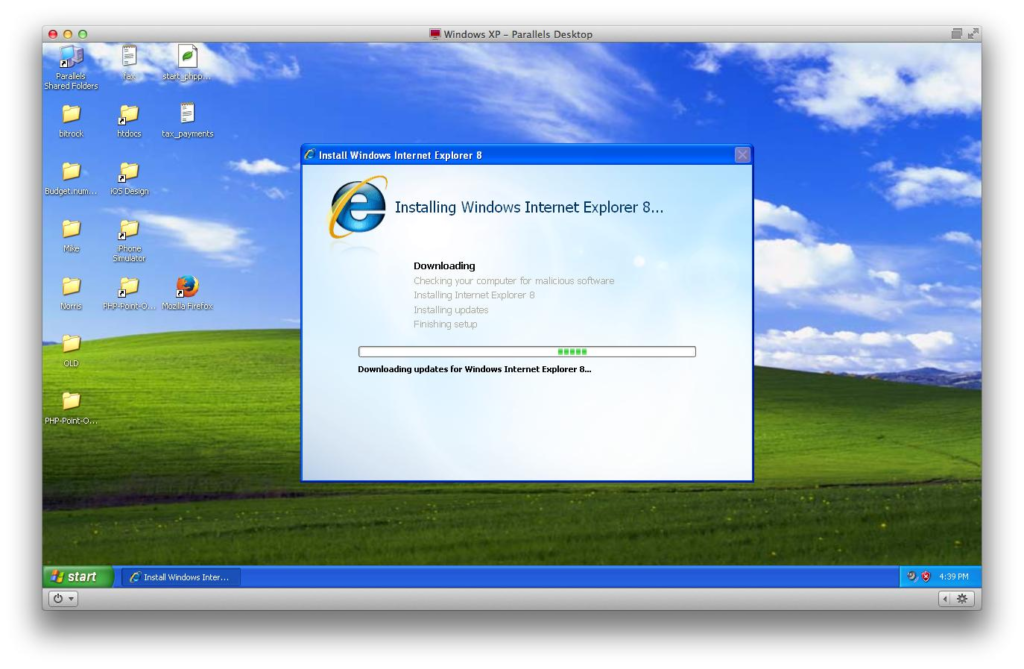
Today, Internet Explorer 8 occupies an interesting space in the technology world. For most users, it represents an outdated browser that modern websites no longer support. However, for IT professionals and organizations still maintaining legacy systems, IE8 remains a necessary tool for accessing specialized applications that were designed around its specific capabilities. This dichotomy—between obsolescence and necessity—makes Internet Explorer 8 a fascinating case study in technology lifecycle management and enterprise computing.
The Historical Context of Internet Explorer 8
The Browser Landscape in 2009
To truly appreciate Internet Explorer 8, we must first understand the environment in which it was launched. In 2009, Microsoft’s Internet Explorer still held a commanding market share, primarily due to its status as the default browser on Windows operating systems. However, cracks were beginning to show in the armor. Firefox had already established itself as a credible alternative, attracting users with its speed, security features, and extensibility. Google had just entered the browser market with Chrome, introducing minimalist design and unprecedented JavaScript performance that caught everyone’s attention .
The timing of IE8’s release was strategically significant. Microsoft had previously faced criticism for Internet Explorer 7, which was seen as too little, too late in addressing the browser’s growing security concerns and standards compliance issues. Internet Explorer 8 arrived with ambitious promises: better security, improved performance, enhanced privacy features, and importantly, a commitment to web standards that Microsoft had been reluctant to embrace fully .
Microsoft’s Strategic Goals
Microsoft’s development team had clear objectives with Internet Explorer 8. First, they needed to address the security vulnerabilities that had plagued previous versions and damaged user trust. Second, they needed to improve rendering capabilities to properly display modern websites that relied on Cascading Style Sheets (CSS) 2.1 and other evolving web standards. Third, they had to maintain backward compatibility with the millions of existing websites and enterprise applications that depended on older Internet Explorer technologies .
The challenge was finding the right balance. As one industry observer noted, the primary challenge for the IE team was the tension between “compatibility vs. standards-compliance: don’t want to break existing sites without solid reasons” . This tension would manifest in one of IE8’s most notable features: the “opt-in” approach to standards mode, which required website authors to explicitly declare their pages as supporting the new standards rendering mode to avoid breaking older sites.
The Enterprise Angle
Microsoft’s corporate strategy heavily influenced Internet Explorer 8’s development. Large organizations had standardized on Internet Explorer 6 for their internal applications, creating a massive compatibility debt that made upgrading difficult. While home users were increasingly moving to newer browsers, enterprise environments lagged significantly behind, with many still using IE6 well into the late 2000s and beyond .
Internet Explorer 8 was designed to facilitate enterprise adoption through improved deployment tools, extensive Group Policy management capabilities (over 1,300 policies), and compatibility features that allowed organizations to migrate at their own pace . The browser’s “Compatibility View” feature, which enabled IE8 to render pages as if they were in IE7 mode, was particularly important for enterprises transitioning from older versions while maintaining access to critical legacy applications .
Key Features of Internet Explorer 8
Enhanced Tabbed Browsing and User Interface
Internet Explorer 8 built upon the tabbed browsing concept introduced in IE7, adding several refinements that improved the user experience. The browser introduced a more sophisticated tab management system that color-coded related tabs and allowed for easier multitasking. Users could group tabs by color, making it easier to identify which tabs were associated with specific web sessions or related content .
The “New Tab” page was redesigned to provide quicker access to frequently visited sites, recent browsing sessions, and closed tabs. This feature, now standard in all modern browsers, was a significant step forward at the time. The address bar also received enhancements, including search functionality that could query the user’s browsing history and bookmarks, making navigation more intuitive .
Accelerators and Web Slices: IE8’s Novel Features
Two of the most distinctive features introduced with Internet Explorer 8 were Accelerators and Web Slices. These represented Microsoft’s attempt to create a more efficient browsing experience by reducing the steps needed to perform common tasks .
Accelerators allowed users to perform actions on selected text without leaving the current page. For example, a user could select an address and instantly map it, highlight a word and look it up in a dictionary, or select a product name and search for it on a shopping site. These actions were accessible through a context menu, eliminating the need to copy text, open a new tab, navigate to a service, paste the content, and then execute the action. Microsoft positioned this as a significant time-saver, with some tasks that previously required up to eight clicks being reduced to just two .
Web Slices functioned similarly to modern widget technologies, allowing users to subscribe to specific portions of a webpage and receive updates without loading the entire page. For instance, a user could add a Web Slice for an eBay auction or a weather forecast, and the information would be updated in the Favorites bar automatically. This was an early attempt at what we now think of as “widgets” or “web snippets” that display dynamic content .
While these features were innovative, they ultimately struggled to gain widespread adoption. Web developers needed to specifically code their sites to support Accelerators and Web Slices, and many chose not to invest the effort. This lack of ecosystem support limited the features’ impact, though Microsoft would later adapt similar concepts for Windows 8’s “Charms” and “Live Tiles” .
Privacy and Security Enhancements
Security was a primary focus for Internet Explorer 8, building on lessons learned from previous versions’ vulnerabilities. Microsoft implemented several layers of protection designed to address different types of online threats .
SmartScreen Filter
The SmartScreen Filter was arguably the most significant security enhancement in Internet Explorer 8. This technology evolved from the Phishing Filter introduced in IE7 and expanded to protect against both phishing sites and malware distribution . SmartScreen operated by checking visited websites against an updated list of reported malicious sites. If a site was determined to be suspicious, IE8 would display a warning page, alerting users before they could enter any personal information or download potentially harmful software .
SmartScreen represented a proactive approach to security that was ahead of its time. By blocking malicious websites at the browser level, Microsoft created a first line of defense against social engineering attacks that attempted to trick users into revealing sensitive information. The technology was sophisticated enough to identify suspicious patterns even when sites weren’t yet in the blacklist, giving users an additional layer of protection .
InPrivate Browsing and Filtering
InPrivate Browsing introduced a privacy mode that prevented Internet Explorer from saving any browsing history, temporary files, cookies, or form data after the session was closed . This was Microsoft’s response to growing privacy concerns and reflected similar features available in competing browsers. The concept was simple: users could enable InPrivate Browsing for sessions where they didn’t want their activities recorded on the local machine .
InPrivate Filtering addressed a more subtle privacy concern related to third-party tracking. This feature analyzed the web pages users visited and identified third-party sites that might be collecting information about their browsing behavior. Users could then decide whether to allow or block these third-party sites from receiving data. Microsoft described this as “protection from some tracking scenarios,” acknowledging the complexity of online privacy and the difficulty of distinguishing legitimate content from tracking mechanisms .
Cross-Site Scripting (XSS) Filter
The XSS Filter in Internet Explorer 8 was another layer of protection that guarded against a specific type of attack where malicious scripts were injected into legitimate websites . Cross-site scripting attacks represented a serious threat because they could compromise user sessions and steal sensitive information. By implementing detection and prevention mechanisms at the browser level, IE8 offered protection against this type of attack even when vulnerabilities existed on web servers .
Domain Highlighting
A simpler but effective security feature was domain highlighting in the address bar. IE8 highlighted the domain name of the site being visited, making it easier for users to verify they were on a legitimate website. This helped combat “homograph” attacks where malicious actors registered domain names that looked similar to legitimate ones, a form of visual deception that could trick users into entering credentials on fake banking or e-commerce sites .
Performance Improvements
Microsoft made substantial performance improvements with Internet Explorer 8, though the reality of these improvements remained contested. The company claimed the browser was significantly faster than its predecessor and competitive with other major browsers. Microsoft’s internal testing showed performance increases of 85-90% compared to Internet Explorer 7 when rendering real-world websites, with CPU usage reduced by 75-80% .
One area of notable improvement was memory management. Microsoft demonstrated a dramatic reduction in memory consumption compared to IE7, which had been notorious for memory leaks that could cause the browser to consume nearly a gigabyte of RAM over extended browsing sessions . The enhancements to JavaScript performance were also significant, with IE8 executing the SunSpider JavaScript benchmark up to five times faster than IE7 .
However, independent reviewers often had different perspectives on IE8’s performance. Some comparisons showed that while IE8 was indeed faster than its predecessor, it still lagged behind Firefox, Safari, and particularly Chrome in real-world tests. One reviewer noted that while Microsoft claimed IE8 was “very fast,” in practice, “speed and performance were its weakest elements” during testing. The reviewer observed that IE8 took longer to load pages compared to competitors and sometimes experienced significant slowdowns when loading multiple pages simultaneously .
Perhaps the fairest assessment came from Microsoft itself. An internal performance video comparing IE8 to Firefox 3.5 and Chrome 1.0 found that IE8 loaded top websites faster than the competition in some cases but acknowledged that no browser won across every scenario. As Microsoft’s own team put it, “IE8 is way fast, just like the other guys. And there’s more to a browser than just speed” .
Standards Compliance
Internet Explorer 8 represented a significant shift in Microsoft’s approach to web standards. Previous versions of Internet Explorer had been criticized for proprietary implementations that made web development challenging and forced developers to create separate workarounds for different browsers .
With IE8, Microsoft committed to improving standards compliance, particularly in CSS 2.1 support. The browser was built to render pages in its most standards-compliant mode by default, a marked departure from the strategy of maintaining backward compatibility at the expense of standards . However, recognizing the risk of breaking existing websites, Microsoft implemented the “opt-in” approach: website authors needed to include a special meta tag to activate the standards-compliant rendering mode .
Microsoft also contributed significantly to web standards development during the IE8 era. The company submitted over 7,000 test cases to the World Wide Web Consortium (W3C) for the CSS 2.1 test suite, representing one of the largest contributions from a single company . This effort was designed to improve interoperability across browsers, benefiting web developers and ensuring that a single website would render consistently in different browsers .
Despite these efforts, IE8’s standards compliance was seen as “too little, too late” by some critics. While it was a substantial improvement over IE7, other browsers had already moved further ahead in adopting modern web technologies. The browser still lacked support for many HTML5 features and had limitations in its JavaScript engine that would hinder its performance in modern web applications .
Legacy Features and Compatibility
Internet Explorer 8’s Role in Legacy Systems
Despite being outdated by modern standards, Internet Explorer 8 maintains a unique position in enterprise computing. The browser was the last version of Internet Explorer that could run on Windows XP, an operating system that remained in widespread use long after Microsoft ended mainstream support. This compatibility with Windows XP made IE8 the de facto standard for organizations that couldn’t or wouldn’t migrate to newer operating systems .
The browser also introduced features specifically designed for enterprise deployment and management. The Internet Explorer Administration Kit (IEAK) allowed IT administrators to create custom installations with pre-configured settings, ensuring consistency across large organizations . The enhanced Group Policy support with over 1,300 configurable settings gave IT departments unprecedented control over browser behavior and security .
Why Some Organizations Still Use IE8 Today
Several factors explain the persistence of Internet Explorer 8 in certain organizations. Chief among these is the presence of legacy applications that were specifically designed to work with Internet Explorer’s proprietary technologies . Many enterprise applications built in the early 2000s relied on ActiveX controls, which functioned exclusively in Internet Explorer. Replacing these applications could be prohibitively expensive and disruptive, leading organizations to maintain the older browser for specific use cases .
The challenge was compounded by the prevalence of Internet Explorer 6 in corporate environments. Many organizations had standardized on IE6 and had never upgraded to IE7, making the jump directly to IE8 significant. The “Compatibility View” feature in IE8, which allowed the browser to render pages as if it were IE7, helped bridge this gap by providing a transition path .
However, maintaining IE8 today presents security risks. The browser has been out of support for many years, and security vulnerabilities discovered after the end of support remain unpatched. Organizations that continue to use IE8 must typically implement compensating controls, such as network isolation or restricting the browser to specific trusted websites, to mitigate these risks .
Microsoft’s Approach to Compatibility After IE8
Microsoft’s later efforts to maintain compatibility with IE8 while encouraging modernization culminated in the introduction of Enterprise Mode for Internet Explorer 11 . This feature allowed Windows 7 and Windows 8.1 users to render websites as if they were using IE8, addressing many of the compatibility issues that prevented organizations from upgrading.
Enterprise Mode provided several specific compatibility improvements. It replicated the IE8 user agent string to satisfy websites that performed browser detection rather than feature detection. It also restored compatibility for certain ActiveX controls that would fail if they detected a newer browser version. Additionally, Enterprise Mode brought back some deprecated functionality, including CSS Expressions, which had been used to place objects dynamically on pages .
By providing this compatibility layer within a modern browser, Microsoft attempted to break the dependency on IE8 while allowing organizations to benefit from improved security, performance, and web standards support. This approach reflected the reality that many organizations needed to maintain compatibility with older applications while gradually modernizing their infrastructure .
Internet Explorer 8’s Legacy and Modern Relevance
Technical Innovations That Persist
Internet Explorer 8 introduced several concepts that continue to influence modern web browsing. The SmartScreen Filter’s approach to detecting malicious websites and phishing attempts has been incorporated into later versions of Internet Explorer and Microsoft Edge, and similar technologies are now standard in most major browsers .
The browser’s privacy features—particularly InPrivate Browsing—established a pattern that has become essential in modern web browsers. While the specific implementation has evolved, the concept of providing users with control over their browsing history and tracking remains a critical browser feature .
IE8’s efforts to improve standards compliance, while insufficient to catch up with competitors, signaled an important industry direction. The browser’s contributions to the CSS 2.1 test suite helped improve interoperability across all browsers, benefiting web developers and users alike .
Lessons Learned from Internet Explorer 8
The story of Internet Explorer 8 offers several important lessons for technology development and enterprise computing. Perhaps the most significant is the challenge of balancing innovation with backward compatibility. By attempting to be all things to all users—modern for home users while compatible for enterprises—Microsoft created a browser that excelled at neither extreme .
The controversy over IE8’s performance illustrated the importance of perception. While Microsoft provided impressive benchmark results, independent reviews often told a different story. The gap between lab tests and real-world performance, combined with continued competition from other browsers, hindered IE8’s adoption among more technically sophisticated users .
From an enterprise perspective, IE8 demonstrated the long-term costs of vendor lock-in and proprietary technologies. Organizations that had heavily invested in Internet Explorer-specific applications found themselves trapped in a dependency cycle that limited their ability to adopt newer, more secure technologies .
The Browser That Bridged Eras
Internet Explorer 8 occupies a unique historical position as the bridge between the older proprietary web and the modern open web. For better or worse, it represents a transitional moment when Microsoft—once the dominant force in browsing—began to acknowledge the importance of web standards and interoperability. The browser’s impact on enterprise computing, web development practices, and even the competitive landscape has been significant .
FAQs About Internet Explorer 8
1. Is Internet Explorer 8 still safe to use?
Answer: Using Internet Explorer 8 in modern web browsing is not recommended and poses significant security risks. Microsoft ended support for IE8 in 2016, meaning it no longer receives security updates to address newly discovered vulnerabilities. While the browser can be used in isolated, controlled environments for accessing legacy applications, using it to browse the general internet exposes users to potential security threats. Organizations with legitimate needs to use IE8 typically implement additional security measures, such as network isolation, restricted browsing permissions, and virtual machine environments.
2. Can I still download and install Internet Explorer 8?
Answer: Internet Explorer 8 may still be available from third-party download sites, but Microsoft has removed it from official download channels. Websites like the one originally linked may offer the download for archival or legacy support purposes. However, installing IE8 on modern operating systems is not straightforward, as the browser is designed for Windows XP, Windows Vista, and Windows Server 2003/2008. Installing it on newer Windows versions like Windows 10 or 11 is not natively supported, and Microsoft recommends using the Enterprise Mode in Internet Explorer 11 or Edge’s IE mode for legacy compatibility needs.
3. What operating systems support Internet Explorer 8?
Answer: Internet Explorer 8 is supported on Windows XP (with Service Pack 2 or higher), Windows Vista (including Service Pack 1), Windows Server 2003 (with Service Pack 2 or higher), and Windows Server 2008. The installation requirements vary by operating system: Windows Vista requires at least 512 MB of RAM, while Windows XP can run with 64 MB of RAM. Different versions of the installation file are available for 32-bit and 64-bit operating systems. Windows 7 includes Internet Explorer 8 as the default browser, though later Service Packs often included updates.
4. What were the key improvements in Internet Explorer 8?
Answer: Internet Explorer 8 introduced significant improvements over its predecessor, including enhanced tabbed browsing with color-coded tabs and a redesigned New Tab page; new features like Accelerators and Web Slices for streamlining common tasks; the SmartScreen Filter for protection against phishing and malware; InPrivate Browsing and Filtering for enhanced privacy; improved support for web standards, particularly CSS 2.1; better performance and reduced memory consumption; and more comprehensive Group Policy options for enterprise management and deployment.
5. Why do some companies still use Internet Explorer 8?
Answer: Some organizations still use Internet Explorer 8 because it’s the latest version that runs on Windows XP, and their internal applications were developed specifically for IE’s proprietary technologies, particularly ActiveX controls. Upgrading or replacing these legacy applications can be expensive and time-consuming. IT departments sometimes maintain IE8 in restricted environments to ensure continued access to these applications without exposing the broader organization to security risks. Additionally, some specialized industrial systems, governmental applications, and older enterprise software were designed around IE8’s specific rendering engine and remain dependent on it.
Conclusion
Internet Explorer 8 stands as a pivotal chapter in web browser history—a product caught between two worlds. On one side, it represented Microsoft’s evolving commitment to web standards and modern browsing experiences. On the other, it bore the weight of years of legacy expectations from enterprise customers and millions of websites that had been built for earlier Internet Explorer versions.
The browser’s legacy is complex. For most users today, IE8 is an outdated curiosity, a reminder of the times when Microsoft’s browser dominance was challenged by upstarts Firefox and Chrome. Yet for IT professionals managing legacy systems, the browser remains a necessary tool, kept alive by the sheer inertia of enterprise computing and the challenge of modernizing complex, mission-critical applications .
IE8’s most lasting contribution may be in showing how difficult it is to successfully navigate the tension between progress and compatibility. Microsoft’s cautious approach, while understandable from a business perspective, ultimately left the browser caught in the middle—not innovative enough to win over users seeking the latest features, yet not compatible enough to satisfy those clinging to older standards. The lessons learned from Internet Explorer 8 shaped Microsoft’s later browser development, from the rapid evolution of Internet Explorer 9 through 11 to the eventual transition to Microsoft Edge and its Chromium-based foundation.
For those seeking to understand the evolution of the web—from the battles over standards and security to the ongoing challenge of enterprise compatibility—Internet Explorer 8 provides a fascinating case study. It reminds us that technology progress is never linear, that legacy systems persist for good reasons, and that the companies that build our digital tools must weigh competing priorities that aren’t always aligned with what’s technically ideal.
While the days of Internet Explorer 8 are largely behind us, its influence lives on in the complex web of compatibility, standards, and user expectations that define today’s browsing experiences. And for a small but significant number of organizations and users, the browser still quietly performs its function, enabling access to applications that would otherwise be lost to time .