Introduction
In the modern business landscape, efficient invoicing is the lifeblood of healthy cash flow and professional client relationships. For many small to medium-sized businesses, freelancers, and finance professionals, selecting the right invoicing software is a critical decision. The market offers countless options, from simple spreadsheet templates to feature-rich cloud-based platforms, each with its own set of advantages and trade-offs.
One solution that has carved a specific niche is Invoice 360 Enterprise. Unlike standard cloud-based services that store your data on third-party servers for a recurring fee, Invoice 360 Enterprise presents a different proposition: a self-hosted system designed for users who prioritize data privacy, cost control, and offline functionality. This review provides a comprehensive, independent look at Invoice 360 Enterprise, its features, its technical specifications, and how it fits into the broader ecosystem of invoicing tools.
Based on the software description, Invoice 360 Enterprise is a unique offering that turns a Windows desktop into a private “invoice cloud” server . This approach addresses several common pain points for businesses: the fear of sensitive financial data being stored externally, the recurring costs of monthly subscriptions, and the vulnerability to internet outages. However, this self-hosted model also comes with responsibilities and limitations that potential users must carefully consider.
What is Invoice 360 Enterprise?
Invoice 360 Enterprise is a comprehensive invoicing system that adopts a self-hosted or “private cloud” architecture. The software is structured as a two-part system: a server component and a client application .
The Server Component: This is an executable file that runs on a Windows 10 desktop. It functions as your own private Enterprise Cloud Sync Server. By hosting the server on your own machine, you ensure that all your business transaction data remains under your direct control. This eliminates the need for a third-party cloud provider, significantly enhancing data privacy and security .
The Client Application: The client is a Universal Windows Platform (UWP) application. Once the client app is installed and has performed an initial sync (or “bootstrapped”) with the server, it downloads all necessary data locally . This design ensures that the client app is fully functional even when the Enterprise Cloud Sync Server is offline or unavailable, providing resilience to network failures .
This architecture is ideally suited for salespeople, consultants, and other professionals on the move. A sales representative can take the client app to a customer’s location, create and send an invoice on the spot, and then sync all the new data with the server upon returning to the office . The system provides offline-first capability, ensuring business continuity even with intermittent internet access.
Key Features and Benefits
Data Privacy and Complete Control
The most compelling feature of Invoice 360 Enterprise is the absolute control it offers over your data . With a self-hosted server, your financial information never leaves your network. This is a significant advantage over Software-as-a-Service (SaaS) models, where sensitive data resides on a vendor’s servers. For businesses with strict internal data governance policies or those handling confidential client information, this feature makes Invoice 360 Enterprise a standout option .
Offline Functionality
The bootstrapping feature is crucial for professionals who work in areas with unreliable internet connections . Since the client app stores a local copy of the data, users can continue creating and modifying invoices, managing customers, and updating inventory even when the server is not accessible . Once connectivity is restored, all changes are automatically synced back to the server. This seamless offline capability ensures that work is never interrupted.
Cost-Effectiveness: One-Time Cost
By self-hosting, Invoice 360 Enterprise eliminates the need for recurring monthly or annual cloud subscription fees . Users pay for the software once and can then use it without ongoing costs. This “one-time purchase” model can be far more economical in the long run than perpetual subscriptions, especially for small businesses and freelancers looking to minimize overheads.
Universal Windows Platform (UWP) Integration
As a UWP application, the client is designed to provide a consistent and responsive experience across all Windows 10 devices, including desktops, laptops, and tablets . UWP apps are typically touch-friendly, making them easy to use on the go. This integration with the Windows ecosystem provides a familiar and optimized experience for users on Microsoft platforms.
Resilience to Network Failures
The architecture of Invoice 360 Enterprise provides resilience to network failures . If the office server goes offline due to a power outage or network issue, the client apps on individual devices can still function independently. This provides a layer of fault tolerance that is not typically available in purely web-based invoicing applications, where an outage means a complete halt to operations.
Technical Specifications and Requirements
Understanding the technical requirements is crucial before committing to Invoice 360 Enterprise. The software is exclusively designed for the Microsoft Windows ecosystem.
| Specification | Detail |
|---|---|
| Version | 1.0 [citation:CNET] |
| Platform | Windows [citation:CNET] |
| Operating System | Windows 10 [citation:CNET] |
| Client Application | Universal Windows Platform (UWP) [citation:CNET] |
| Server Hosting | Self-hosted on a Windows Desktop [citation:CNET] |
| Architecture | Client-Server (Sync) |
| Administrative Rights | Required to start the Enterprise Cloud Sync Server |
| Network for Remote Use | Private network or subnet |
| Hard Disk Space | 200 MB |
| Memory | 1 GB |
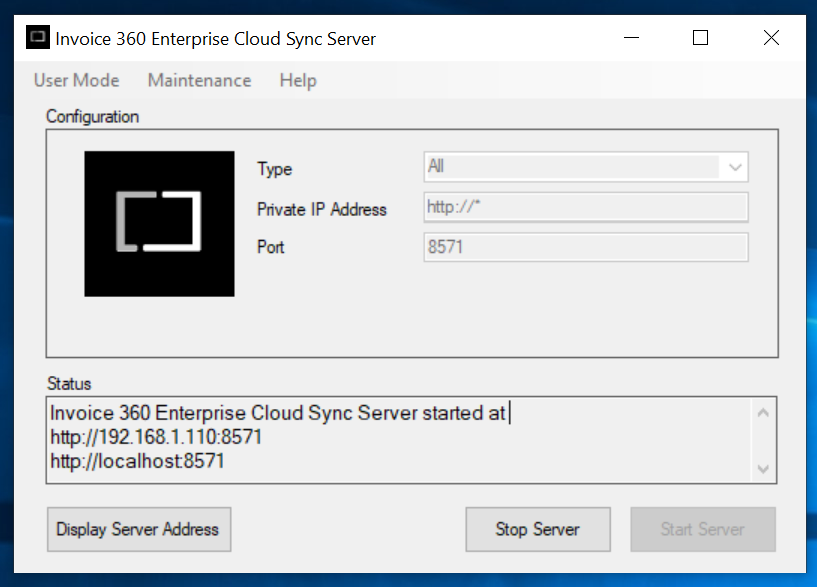
This table highlights the non-negotiable requirement for a Windows environment. The need for a private network for remote client connections is also an important technical detail. Users must ensure their firewall is configured to allow TCP connections on the specific port used by the server (for example, port 8571) to allow remote clients to sync . Administrative rights are required to run the server component, which is common for applications that need to listen on network ports.
How Invoice 360 Enterprise Works: A Step-by-Step Guide
Setting up and using the Invoice 360 Enterprise system is designed to be a straightforward process. The following outlines the typical steps for getting the system running.
Step 1: Installation
First, you need to install both components. The Enterprise Cloud Sync Server and the Invoice 360 Client app must be downloaded and installed on the respective Windows 10 devices . A specific setup step is enabling “Sideloading” in the Windows “For Developers” settings, as the client app is not installed through the Microsoft Store in this version .
Step 2: Starting the Server
To start the server, you need to:
- Go to the Start Menu and locate “Invoice 360 Enterprise Server”.
- Right-click on it and select “Run as Administrator” .
- In the server window, use the default values, such as “localhost” and port “8571,” and click “Start Server” .
Step 3: Connecting the Client and Bootstrapping
The client can be set up to connect to a local or remote server. For the first-time setup, the client will “bootstrap” itself by downloading all the necessary data from the server.
- Local Connection: Launch the client app and select “Local” when prompted to connect to the “localhost” server .
- Remote Connection: For clients on different devices, they must be connected to the same private network as the server. The firewall on the server machine must be configured to allow TCP connections on the designated port . The client then uses the server’s IP address to connect and sync.
Step 4: Configuring Company Details
Upon the first successful sync, you can begin to set up the company details, customer records, and inventory items. The client app provides a clear interface for managing this data . These records form the basis of your invoicing system.
Step 5: Creating an Invoice
The heart of the software is the invoice creation screen, which is intuitively designed.
- Select a Customer: On the left-hand side of the screen, you choose a customer from your list .
- Add Items: In the same panel, you select products or services from your inventory .
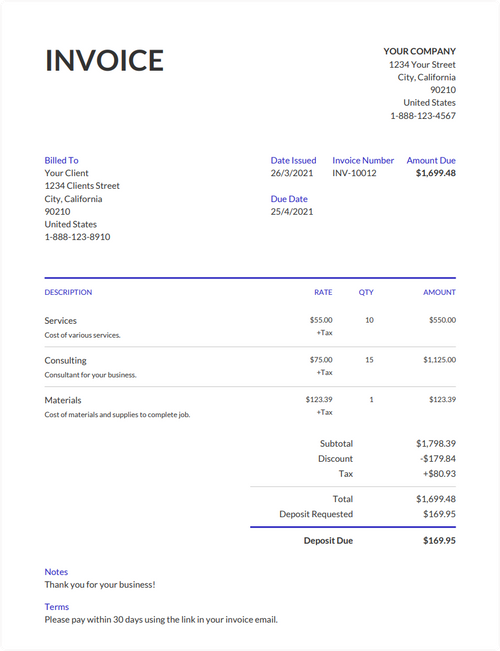
- Review the Invoice: As you select customers and add items, the right-hand side of the screen updates dynamically to look like a physical invoice .
- Customize: You can click on any part of the “paper” invoice to edit details like the quantity, price, or customer information .
- Save and Export: The completed invoice can be saved, printed to a physical printer, or exported to a PDF .
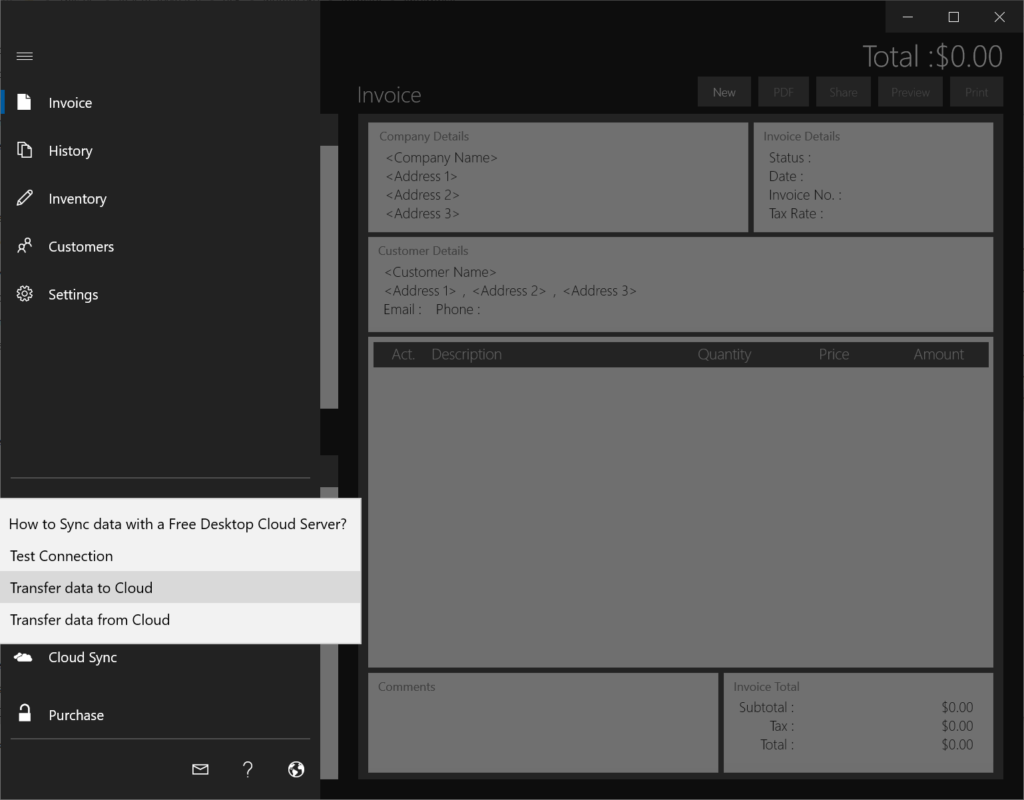
The metaphor of “Cards” (the customer and item lists on the left) and “Paper” (the invoice on the right) is designed to be natural and quick to learn . The software also allows users to create quotes and estimates, which can be turned on in the Settings screen if needed .
Pros and Cons
Pros
- Ultimate Data Privacy: By self-hosting the server, you have complete control over your financial data. It never leaves your network, significantly reducing the risk of data breaches or third-party access [citation:CNET].
- Offline Capability: The client app works seamlessly offline, which is essential for professionals on the move [citation:CNET].
- Resilience to Network Failures: The system is robust, and work can continue even when the central server is unavailable [citation:CNET].
- No Recurring Costs: The software is a one-time purchase, saving you from monthly cloud subscription fees [citation:CNET].
- Platform Integration: As a UWP app, the client is optimized for a smooth experience across Windows 10 devices [citation:CNET].
Cons
- Restricted to Windows: The server is limited to Windows Desktop, and the client is restricted to the Universal Windows Platform [citation:CNET]. There are no native clients for macOS, iOS, or Android.
- User Responsibility for Maintenance: You are responsible for the hosting and maintenance of your own server [citation:CNET]. This includes managing backups, security patches, and server uptime.
- Technical Setup Required: Setting up the server and configuring the private network for remote clients may require a moderate level of technical skill .
- Limited Platform Availability: The lack of cross-platform support (no native clients for macOS, iOS, or Android) is a major limitation for businesses with users on multiple operating systems [citation:CNET].
Comparison with Other Invoice Software
Invoice 360 Enterprise’s self-hosted model sets it apart from many modern applications, but it’s helpful to understand where it fits in the broader market.
Invoice 360 Enterprise vs. Cloud-Based Invoicing Solutions
This is the most direct comparison. Cloud-based software, such as Abak 360, typically charges a monthly subscription fee for access to its features . These platforms handle all server maintenance, backups, and security updates.
Strengths of Cloud Solutions:
- Accessibility: Users can access their data from any device with an internet connection.
- Maintenance-Free: The vendor handles all technical infrastructure.
- Automatic Updates: New features and security patches are rolled out automatically.
Strengths of Invoice 360 Enterprise:
- Data Control: Data remains within your own network, providing superior privacy.
- Cost Structure: One-time purchase vs. recurring fees.
- Offline Resilience: Uninterrupted functionality even without internet.
Invoice 360 Enterprise vs. Modern Offline-First Desktop Apps
There is a growing trend of “offline-first” apps that address the same core concerns of data ownership and privacy that Invoice 360 Enterprise tackles. Examples of this modern movement include apps like VoxInvoice and Invoice Builder .
Strengths of Modern Offline-First Apps:
- Cross-Platform: Typically available on Windows, macOS, and Linux .
- Modern UI: Often feature more contemporary user interfaces and design philosophies.
- Open Source: Some options, like Invoice Builder, are open-source, offering even more transparency and customization .
Strengths of Invoice 360 Enterprise:
- Client-Server Sync: Provides an Enterprise-specific syncing solution for multiple users, whereas many offline-first apps are designed for single users. Invoice 360 Enterprise’s architecture is built specifically for this multi-user scenario .
Invoice 360 Enterprise vs. SubTotal Invoice
Another UWP app, SubTotal Invoice, is similar in that it exists within the Windows ecosystem and can create PDF invoices . However, SubTotal Invoice is a simpler, standalone invoicing app and appears to lack the specific self-hosted server architecture for multi-user syncing that defines Invoice 360 Enterprise.
Best Use Cases for Invoice 360 Enterprise
Given its specific features, Invoice 360 Enterprise is best suited for:
- Small to Medium Businesses (SMBs): SMBs that are entirely Windows-based and have a dedicated IT person or a technically savvy owner. They will benefit from the data privacy, cost savings, and control it offers .
- Organizations with Strict Data Policies: Companies that operate in highly regulated industries or have strict internal data governance policies that prohibit storing sensitive financial data on external servers .
- Field Service Teams: Businesses where staff are on the move, such as consultants, sales representatives, and service technicians. The offline capability allows them to issue invoices and quotes directly at the client’s site .
- Freelancers and Consultants: Independent professionals who operate within the Windows ecosystem and need a reliable, private invoicing solution without recurring costs. They can run both the server and client on a single machine or a lightweight laptop .
- Companies Looking to Reduce Costs: Organizations looking to reduce operational costs and move away from the “everything-as-a-service” model to a more traditional one-time purchase approach [citation:CNET].
Is Invoice 360 Enterprise Right for You?
To decide if Invoice 360 Enterprise is the right solution for your invoicing needs, consider the following questions:
- Are you a Windows-only shop? If you have users on Mac, iOS, or Android, this software will not meet your needs.
- Do you have the technical capacity to manage a self-hosted server? You will need to handle backups, updates, and network configurations.
- Is data privacy your top priority? If controlling your own data is non-negotiable, this is an excellent solution.
- Do you need to work offline? The offline-first design is a significant advantage over cloud-only apps.
- Do you prefer a one-time payment over a subscription? The elimination of recurring fees is a strong financial incentive.
If you answer “yes” to most of these questions, Invoice 360 Enterprise is a very viable contender for your invoicing needs. It represents a secure, private, and cost-effective alternative to the subscription-based cloud models that dominate the market. However, if you need cross-platform support or prefer the convenience of a fully managed, vendor-hosted system, one of the many excellent cloud-based alternatives like Abak 360 might be a better fit.
Frequently Asked Questions (FAQs)
1. What are the primary system requirements for Invoice 360 Enterprise?
Invoice 360 Enterprise is designed exclusively for Windows. The server component requires Windows 10 (x86 or x64), 200 MB of hard disk space, 1 GB of memory, and administrative rights to run. The client app is a Universal Windows Platform application that also requires Windows 10 . If the client and server run on different devices, they must be on the same private network .
2. Can I use Invoice 360 Enterprise if I don’t have an internet connection?
Yes. A key feature of Invoice 360 Enterprise is its offline capability. After the initial bootstrapping or sync, the client app stores data locally and can function fully even when the Enterprise Cloud Sync Server is unavailable. The software is resilient to network failures and is ideal for on-the-go users [citation:CNET].
3. Is Invoice 360 Enterprise a subscription-based service?
No. Invoice 360 Enterprise is not a subscription-based service. It is software you purchase once, and you are not subject to recurring monthly cloud subscription fees. The system is self-hosted, eliminating ongoing costs after the initial purchase [citation:CNET].
4. Does Invoice 360 Enterprise have a mobile app for iOS or Android?
No, Invoice 360 Enterprise is limited to the Windows platform. The server is a Windows Desktop executable, and the client is a Universal Windows Platform app that runs on Windows 10 devices [citation:CNET]. There are no native clients for macOS, iOS, or Android.
5. How does the multi-user syncing work?
The system uses a client-server architecture. The server is hosted on a Windows 10 machine, and multiple client apps can connect to it. Once a client app connects and syncs (bootstraps), it downloads the necessary data. Changes made on any client are automatically pushed to the server when the network connection is available. For this to work remotely, clients must be on the same private network as the server .
Conclusion
Invoice 360 Enterprise presents a compelling, if niche, solution in the world of business invoicing software. Its primary strengths lie in its commitment to data privacy, offline functionality, and cost-effectiveness. By allowing users to self-host their data on a private server, it addresses critical concerns about data security and sovereignty that are becoming increasingly important in a world of data breaches and privacy regulations.
However, this power comes with the responsibility of self-maintenance. The software is not a “set-it-and-forget-it” solution. Users must be willing to handle server administration, ensure proper network configuration, and manage their own backups. Moreover, its strict limitation to the Windows ecosystem (for both server and client) means it will not be a viable solution for companies that are not firmly committed to the Microsoft platform.
For a Windows-centric business, a tech-savvy freelancer, or a field team that needs to operate offline, Invoice 360 Enterprise is a robust, reliable, and financially sensible alternative to the recurring subscriptions and data privacy trade-offs of many cloud-based services. Its “cards-and-paper” metaphor makes it intuitive for users who just want to get their invoices created quickly without navigating a bloated interface . While it might not be the perfect tool for everyone, for its target audience, Invoice 360 Enterprise delivers exactly what it promises: a private, powerful, and resilient invoicing system.