In an increasingly digital world, the value of data cannot be overstated. From irreplaceable family photos and critical business documents to years of financial records and creative projects, our lives are stored in bytes and bits on our computers. Yet, this data is constantly at risk. Hardware failures, accidental deletions, malicious software like ransomware, and even natural disasters can lead to catastrophic data loss. This is why a robust backup strategy is not just a good idea—it is an absolute necessity. This article explores the critical importance of data backup, the challenges involved in protecting digital assets, and how tools like DataNumen Backup provide a vital safety net for Windows users.
The Critical Need for Data Backup
The digital age has brought unparalleled convenience, but it has also introduced new vulnerabilities. Understanding the risks is the first step toward effective data protection.
The Many Threats to Your Data
Your digital files face a multitude of threats every day:
- Hardware Failure: Hard drives, solid-state drives, and even memory cards are physical components with limited lifespans. They can fail without warning, corrupting or destroying everything stored on them.
- Human Error: It’s incredibly easy to accidentally delete an important file or folder. Often, users don’t realize the mistake until the Recycle Bin has been emptied.
- Malware and Ransomware: Malicious software can encrypt your files, holding them hostage until a ransom is paid, or simply delete them. These attacks are increasingly common and can affect anyone, from individuals to large organizations.
- Natural Disasters and Theft: Fires, floods, and physical theft of your computer can result in the complete loss of your data, with no chance of recovery.
- Software Corruption: Bugs in operating systems or applications can lead to data corruption, making files unreadable.
The Cost of Data Loss
The consequences of losing important data can be severe:
- Personal Impact: Losing precious memories like photos and videos of family events or personal projects is a deeply emotional loss.
- Financial Loss: For businesses, losing customer data, financial records, or proprietary information can be devastating, leading to lost revenue, legal liabilities, and reputational damage.
- Productivity Loss: Recreating lost work or reconstructing missing data takes significant time and effort, disrupting workflows and causing delays.
- Compliance Issues: Organizations in regulated industries may face heavy fines and penalties if they fail to protect sensitive data, as required by laws like GDPR or HIPAA.
What is DataNumen Backup?
DataNumen Backup is a specialized software tool designed for the Windows operating system that provides a comprehensive solution for data backup and protection. It is part of the DataNumen suite of products, which focuses on data recovery and security. The primary goal of this application is to help users safeguard their critical files by creating secure copies that can be restored in the event of data loss.
Core Functionalities
The software is designed to simplify the backup process and provide peace of mind.
1. File and Folder Backup
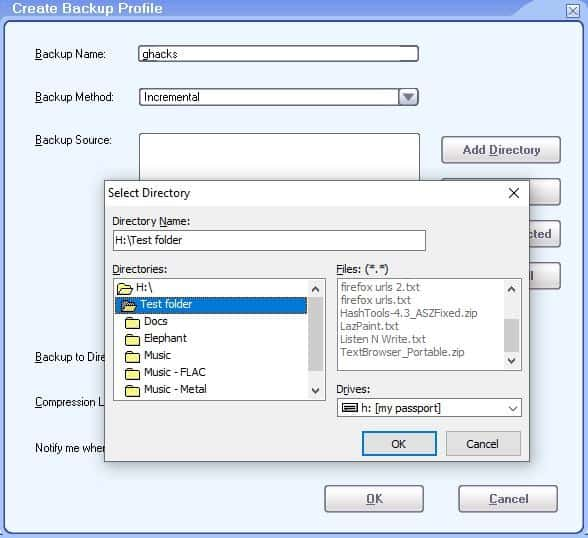
The core function of DataNumen Backup is to allow users to select specific files, folders, or even entire drives to back up. This can include documents, photos, music, videos, emails, financial data, and any other type of digital content.
2. Scheduled Backups
One of the most powerful features of any backup tool is automation. DataNumen Backup likely supports scheduled backups, allowing users to set up automatic backups at regular intervals (e.g., daily, weekly, or monthly). This ensures that data is protected regularly without the need for manual intervention, significantly reducing the risk of data loss from forgetfulness.
3. Incremental and Full Backups
Advanced backup solutions offer different backup modes to balance speed and storage space. A full backup copies all selected files every time. An incremental backup, on the other hand, only copies the files that have changed since the last backup (whether full or incremental). This makes incremental backups much faster and uses less storage, while still allowing for a complete restoration of data by combining the full backup with all subsequent incremental backups.
4. Compression and Encryption
To save storage space, backup software often compresses the backed-up data into an archive file (e.g., ZIP). More importantly, for security, the software likely provides encryption options. Encrypting a backup ensures that even if the backup drive is lost or stolen, the data cannot be accessed without the correct password or encryption key.
Key Features of an Effective Backup Solution
When evaluating a backup tool like DataNumen Backup, users should look for a specific set of features that make the software reliable and easy to use.
Reliability and Data Integrity
The most important feature of any backup software is its reliability. The tool must perform its functions flawlessly, ensuring that backed-up data is a perfect copy of the original and can be successfully restored without any corruption. The software should also perform verification checks after a backup is complete to confirm the integrity of the copy.
Cross-Version Compatibility
A robust backup solution should be compatible with a wide range of Windows operating systems. This ensures that it can be used on both modern and older systems. DataNumen Backup supports a broad range of Windows versions, including Windows NT, 2000, XP, Vista, 7, 8, and 10.
Ease of Use and User Interface
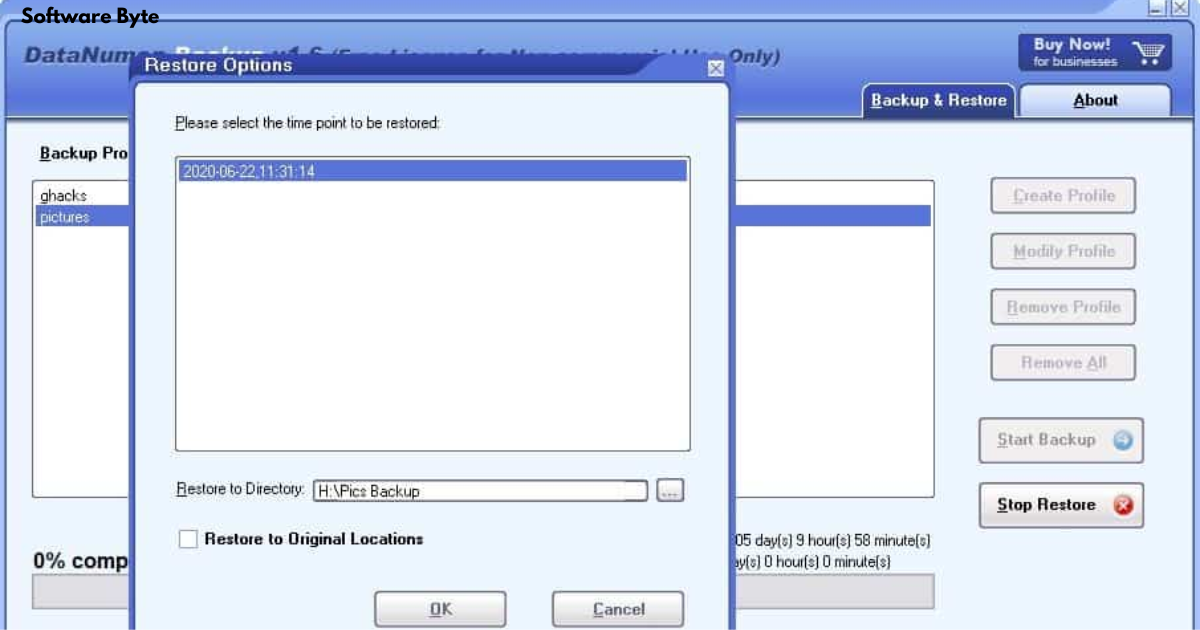
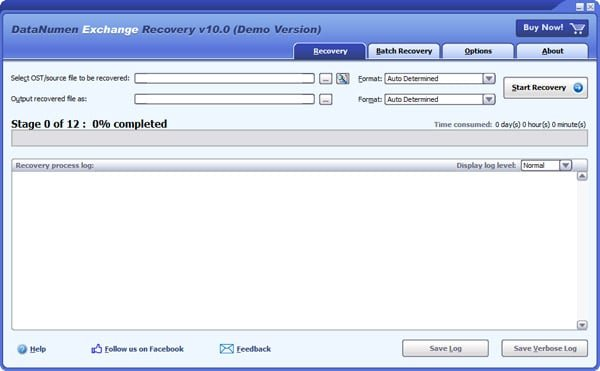
For non-technical users, a complex, command-line-based backup tool can be intimidating and difficult to use. A user-friendly graphical interface with clear wizards and step-by-step instructions makes the process of setting up and managing backups accessible to everyone. Intuitive navigation helps users select files, configure schedules, and initiate restore operations with confidence.
Customization and Flexibility
No two users have exactly the same backup needs. An effective tool provides customization options. This includes:
- Selective Backup: Allowing users to back up specific files or folders rather than entire drives.
- Exclusion Rules: The ability to exclude certain file types or folders from the backup process.
- Multiple Destinations: Options to back up to local drives, external hard drives, network locations, or even cloud storage services.
- Email Notifications: Sending reports after backup tasks to confirm success or alert to any errors.
The Role of Backups in Disaster Recovery
A backup is a crucial component of any disaster recovery plan, which is a documented strategy for how an organization will recover its data and resume operations after a disruptive event.
What is a Disaster Recovery Plan?
A disaster recovery (DR) plan outlines the procedures to be followed to restore technology infrastructure and access to critical data after a natural disaster, cyberattack, or other major disruptions. It includes:
- Risk Assessment: Identifying potential threats and vulnerabilities.
- Recovery Time Objective (RTO): Defining the maximum acceptable amount of time the business can be without the system.
- Recovery Point Objective (RPO): Defining the maximum acceptable amount of data loss measured in time (e.g., if backups are run daily, the RPO is 24 hours, meaning you accept losing up to 24 hours of data).
How Backups Fit Into a DR Plan
Backups are the most fundamental piece of a DR plan. They are the means by which the RPO is achieved. Regular, verified backups ensure that when a system is restored, it can be brought back to a state that existed at or before the RPO. The backup data must be secure and accessible, and the process of restoring it must be clearly documented and tested.
Best Practices for Data Backup
Following established best practices can significantly enhance the effectiveness of your backup strategy.
The 3-2-1 Backup Rule
The 3-2-1 rule is a widely recommended best practice for data backup:
- 3 Copies: Keep at least three copies of your data. This includes the original data and at least two backups.
- 2 Different Media: Store the backups on two different types of storage media. For example, one backup on an external hard drive and another in the cloud.
- 1 Offsite Backup: Keep one copy offsite. This protects you from a disaster that could affect your primary location, such as a fire, flood, or theft.
Regular Testing of Restores
A backup is only as good as its ability to be restored. It is critical to perform regular test restores of your backed-up data. This verifies that the backup process is working correctly and that the data is intact and can be recovered. Many organizations schedule a quarterly or bi-annual “fire drill” to practice restoring their systems from backups.

Keep Your Backup Tool Updated
Like any software, backup tools can have bugs and security vulnerabilities. It is important to keep your backup software updated to the latest version to benefit from performance improvements, new features, and security patches.
Frequently Asked Questions (FAQs)
1. Why is it important to back up my computer files?
Backing up your files is crucial because your data is at constant risk from hardware failure, accidental deletion, malware (like ransomware), and natural disasters. Without a backup, you can permanently lose important documents, photos, financial records, and other irreplaceable files. A backup ensures you can recover your data and continue working or preserve your memories.
2. What is the difference between a full backup and an incremental backup?
A full backup copies every file you have selected, regardless of whether it has been changed. This takes a lot of time and storage space. An incremental backup only copies the files that have changed since the last backup of any kind (full or incremental). This makes it much faster and uses less storage. To restore data using incremental backups, you need the full backup and all the incremental backups that were created after it.
3. Is DataNumen Backup free to use?
DataNumen Backup is offered as a free software download. While it is a tool from a commercial developer (DataNumen), the version available on CNET Download was free to try or use. It is common for such software to have a free version with basic features and a paid “Pro” version with more advanced capabilities.
4. What versions of Windows is DataNumen Backup compatible with?
Based on its specifications, DataNumen Backup is compatible with a very wide range of Windows operating systems. It supports Windows NT, Windows 2000, Windows XP, Windows Vista, Windows 7, Windows 8, and Windows 10. This broad compatibility makes it useful for both legacy and modern systems.
5. How often should I back up my data?
The frequency of your backups depends on how often your data changes and how much data loss you can accept. This is known as your Recovery Point Objective (RPO). For critical work files that change daily, a daily backup is recommended. For less frequently changed data (like a personal photo archive), a weekly or monthly backup might be sufficient. Automating the process with scheduled backups is the best way to ensure consistency.
Conclusion
DataNumen Backup provides a practical and accessible solution for one of the most critical tasks in the digital age: protecting your valuable data. By offering a user-friendly interface, broad compatibility with Windows systems, and essential features like scheduled and incremental backups, it empowers individuals and businesses to safeguard their digital assets effectively. However, the tool is only one part of a successful data protection strategy. Understanding the risks, adhering to the 3-2-1 backup rule, and regularly testing restores are equally important. In an era where data loss can have devastating personal and professional consequences, investing in a reliable backup tool and a disciplined backup routine is a fundamental and necessary practice. It is the digital equivalent of an insurance policy—providing peace of mind and a safety net against the unexpected.