In the world of digital audio production, live performance, and interactive media, the ability to control software and hardware intuitively can make all the difference. Traditional physical controllers, while effective, often lack the flexibility to adapt to every unique workflow. This is where TouchOSC steps in as a revolutionary tool. TouchOSC for Windows is a versatile and innovative software application that transforms your touchscreen device or Windows PC into a fully customizable control surface. This comprehensive guide explores everything you need to know about TouchOSC, from its core features and supported protocols to its powerful editing capabilities and practical applications across various industries.
What is TouchOSC and Why is it a Game-Changer?
TouchOSC is a modular control surface toolkit developed by Hexler LLC . At its core, it is a software application that allows you to design and build custom touch-based control interfaces. These interfaces can be used to control a vast array of compatible software and hardware applications, including popular Digital Audio Workstations (DAWs) like Ableton Live, Logic Pro, and many others .
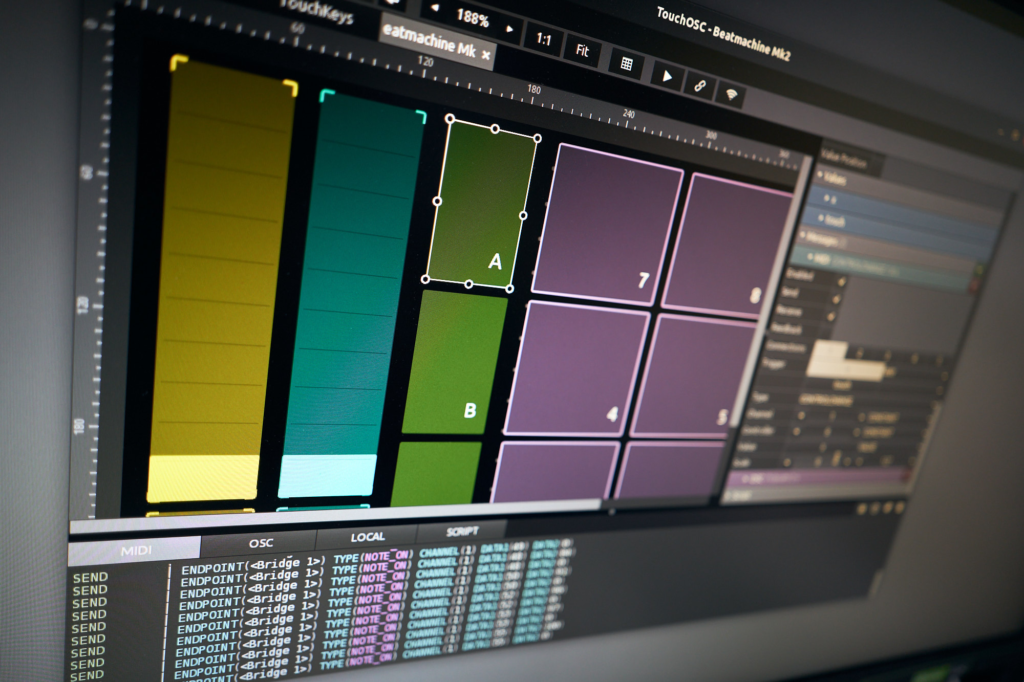
The power of TouchOSC lies in its ability to transform any device into a powerful remote control. Whether you are using a smartphone, tablet, or a Windows touchscreen workstation, TouchOSC provides the tools to create the perfect controller for your specific needs . This eliminates the need for expensive, dedicated hardware controllers and offers unparalleled flexibility.
The Technical Foundation: How TouchOSC Works
TouchOSC’s functionality is built on its ability to communicate using two of the most important protocols in modern digital media: Open Sound Control (OSC) and MIDI.
Open Sound Control (OSC)
Open Sound Control is a modern, flexible protocol designed for network-based communication between sound and multimedia devices. Unlike MIDI, which has limitations in resolution and data types, OSC can transmit high-resolution data and complex messages over standard networks . This makes it ideal for sending detailed parameter changes, such as precise fader positions or complex control data.
MIDI Protocol
Despite the advantages of OSC, MIDI remains ubiquitous in the music and production world. TouchOSC fully supports MIDI, allowing you to connect to any MIDI-compatible application or hardware on your computer . This includes sending and receiving Note On/Off, Control Change (CC), and Program Change messages.
TouchOSC supports sending and receiving any number of MIDI and OSC messages on many connections simultaneously . Connections can be made via Wi-Fi, USB, or wired and wireless MIDI connections . For MIDI communication with desktop applications, users often rely on TouchOSC Bridge, a companion utility that relays messages between the mobile app and the computer .
Cross-Platform Compatibility
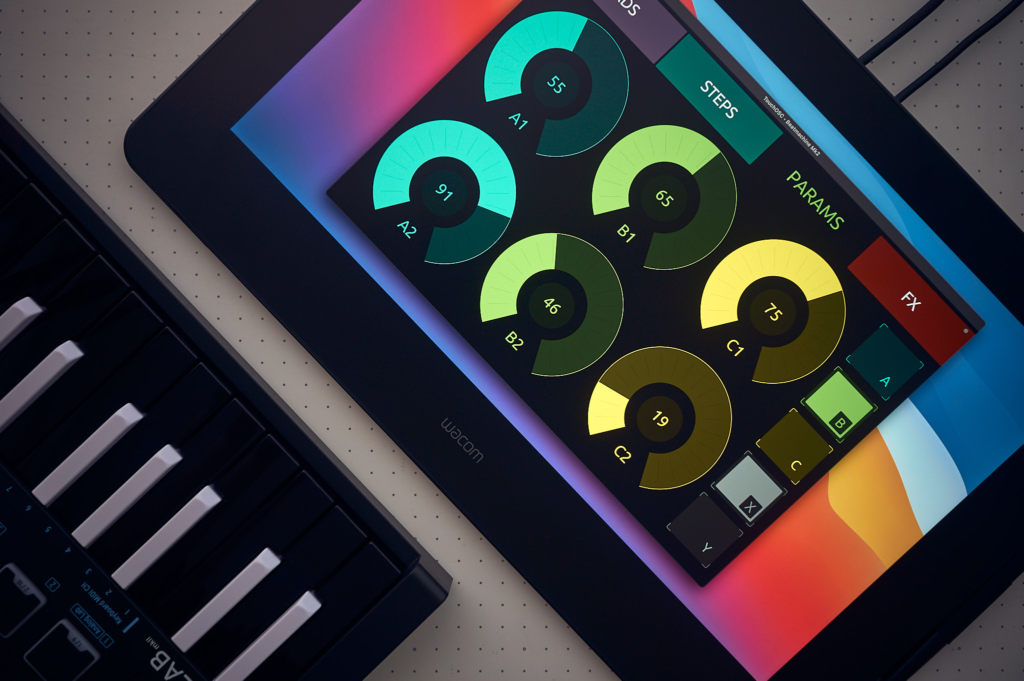
One of TouchOSC’s greatest strengths is its “write once, run anywhere” philosophy. Any control surface document you create can be freely exchanged between all versions of the application, and it will render and behave exactly the same regardless of the hardware . TouchOSC runs on :
- Windows (Windows 7 or later, 64-bit)
- macOS (supporting Apple Silicon and Intel chips)
- Linux
- iOS (iPhone, iPad, iPod Touch)
- Android
Native multi-touch input is supported on Windows and Linux, and Wacom multi-touch display support is available on macOS . This ensures that whether you are designing on a desktop or performing on a tablet, the experience remains consistent.
The Integrated Editor: Building Your Custom Controller
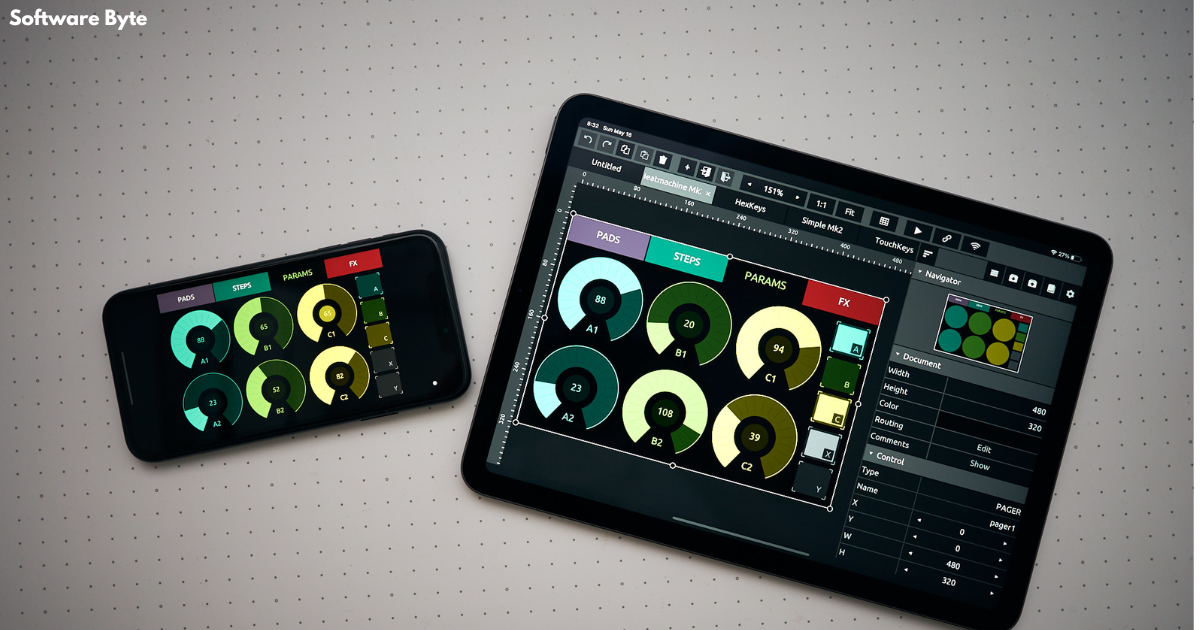
The heart of the TouchOSC experience is its powerful, integrated editor . This GPU-powered, fast and advanced tool allows you to create the most complex control layouts with ease and precision . The latest version of TouchOSC (referred to as “Mk2”) has been completely rewritten from the ground up, focusing on speed, features, and usability .
Key Features of the Editor
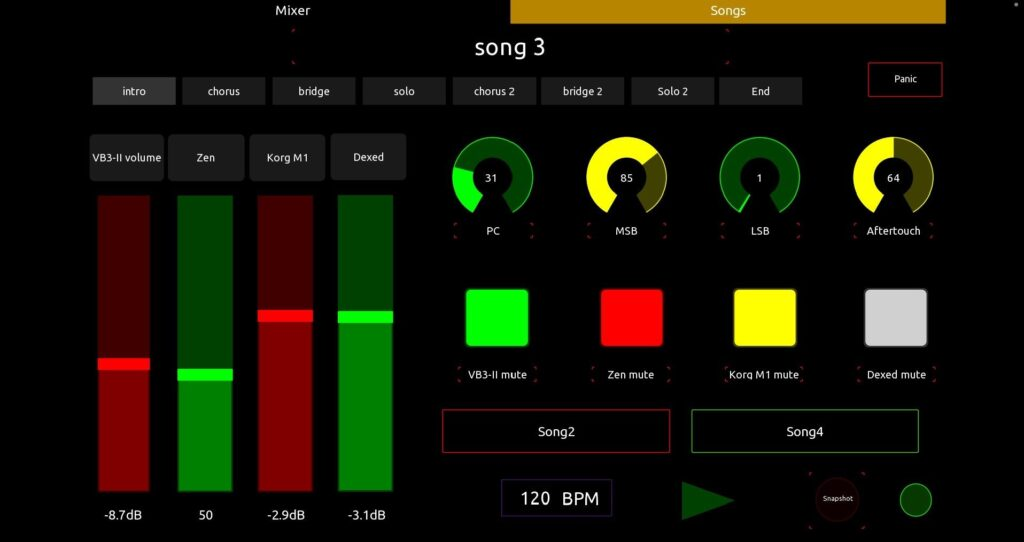
- Design and Customize Interfaces: The editor provides a canvas where you can drag and drop a variety of controls, including faders, buttons, rotary controls, encoders, XY pads, multi-faders, LEDs, and labels .
- Real-Time Synchronized Editing: Multiple instances of TouchOSC can be connected on the network for synchronized editing . This feature allows you to use the precision of your desktop’s mouse and keyboard for fine-grained editing while previewing the changes in real-time on all connected touch-screen devices simultaneously.
- Scripting for Advanced Customization: A lightweight and fast scripting engine allows deep access to all aspects of your controller, enabling limitless customization and interactivity .
- Local Messages for Simplicity: For less complex tasks, TouchOSC offers local messages. This feature allows you to simply wire up controls to transmit or display values without needing to write code .
Practical Design Example
A common workflow for creating a custom interface might involve the following steps :
- Open TouchOSC Editor on your Windows PC.
- Select a Layout that matches your target device’s screen size (e.g., iPhone, iPad, or a custom Windows tablet layout).
- Name Your Page: Give your page a descriptive name.
- Add Controls: Right-click on the canvas to open a dropdown menu and add controls like Push Buttons, Faders, and Rotary controls.
- Configure Each Control:
- Name: Assign a name to the control for easy identification.
- Appearance: Customize the color, size, and label text.
- Communication: Under the OSC or MIDI tab, define the message the control will send and, if feedback is required, the message it expects to receive. For OSC, this is often a unique address string like
/Playor/Fader1.
- Save and Sync: Once the layout is complete, save the template. Use the Sync feature in the editor to wirelessly transfer the layout to your mobile device running the TouchOSC app .
Advanced Features and Applications
Scripting
The built-in scripting engine is a powerful tool for users who need to go beyond simple mappings. It allows for complex behaviors like conditional logic, message translation, and creating dynamic, responsive interfaces that adapt to the state of the software they are controlling .
Cross-Network Synchronized Editing
As mentioned, this feature is a significant productivity booster. For instance, you can have a complex layout open on your Windows desktop, make precise adjustments using a mouse, and see the changes instantly on an iPad on your music stand. This streamlines the design process dramatically .
Feedback and Bidirectional Communication
TouchOSC supports bidirectional communication. This means that not only can you send commands from your controller, but the software you are controlling can also send data back. For example, a fader in TouchOSC can receive a value from your DAW to show the current volume level, or a label can update to display the name of the selected track . This feature is enabled through “Feedback Processors” in the configuration files .
Practical Applications Across Industries
TouchOSC’s flexibility makes it a valuable tool in numerous fields.
Music Production and Audio Engineering
- DAW Control: Control transport functions (play, stop, record), mixer levels, panning, and plugin parameters in DAWs like Ableton Live, Logic Pro, and Reaper .
- Live Performance: Perform live electronic music using a tablet-based controller for triggering clips, controlling effects, and manipulating synthesizers.
- Remote Recording: Control recording sessions from the live room, allowing the engineer to be with the talent while still managing the DAW.
Lighting and Stage Control
Professional lighting consoles, such as the grandMA3, support OSC control. TouchOSC can be used to create custom remote interfaces for controlling lighting cues, faders, and executor buttons over Wi-Fi . This allows technicians to move freely around a venue while controlling the lighting rig.
Video and Visuals
TouchOSC is also used to control VJ software like Resolume Avenue and Arena, and other visual presentation tools . Custom interfaces can be designed to trigger video clips, apply effects, and control playback. Companies like disguise provide pre-made OSC templates for TouchOSC to facilitate the control of their media servers .
Studio and Broadcast
In broadcast environments, TouchOSC can be used to control audio mixers, video switchers, and other studio equipment over a network, providing a flexible and low-cost control solution.
Frequently Asked Questions (FAQs)
1. What is TouchOSC and what is it used for?
TouchOSC is a software application that turns a touchscreen device or computer into a custom control surface. It is used primarily for remotely controlling music production software (DAWs), live performance tools, lighting desks, and other multimedia applications by sending OSC and MIDI messages over a network.
2. What is the difference between MIDI and OSC in TouchOSC?
MIDI (Musical Instrument Digital Interface) is a classic protocol for controlling musical devices, but it has limitations in resolution and data types. OSC (Open Sound Control) is a newer, more flexible protocol that can send high-resolution, complex data over networks. TouchOSC supports both, allowing you to connect to a wider range of software and hardware. Often, OSC is used for high-end applications where precision is critical, while MIDI is used for broader compatibility.
3. Do I need to be a programmer to use TouchOSC?
No. While TouchOSC does have a powerful scripting engine for advanced users, many tasks do not require programming. The editor allows you to build interfaces by dragging and dropping controls and configuring them through intuitive menus. For simpler tasks like assigning a button to send a MIDI note, you can use “local messages” or manually enter the address and value, without writing code.
4. How do I create my own custom layout for TouchOSC?
You use the TouchOSC Editor, which is included with the application. You start with a blank canvas for a specific device screen, add controls (buttons, faders, etc.) from a palette, and then configure each control to send specific OSC or MIDI messages. The layout is saved as a document and synced to your device over the network.
5. What platforms does TouchOSC support?
TouchOSC has excellent cross-platform support. The software runs on Windows 7 or later, macOS, Linux, iOS, and Android . Any controller layout you design can be used on any of these platforms, making it a truly versatile tool.
Conclusion
TouchOSC for Windows is more than just a remote control app; it is a comprehensive toolkit for creating custom control interfaces. Its support for both MIDI and OSC protocols ensures compatibility with a vast ecosystem of software and hardware. The powerful, integrated editor, combined with features like cross-network synchronized editing and a flexible scripting engine, empowers users to build controllers that fit their workflow precisely.
Whether you are a music producer looking to streamline your DAW control, a lighting technician needing a portable remote, or a VJ seeking a custom interface for your visuals, TouchOSC provides the tools to turn your touchscreen into a powerful, adaptive, and personalized control surface. Its commitment to cross-platform compatibility and long-term support makes it a reliable investment for creative professionals.