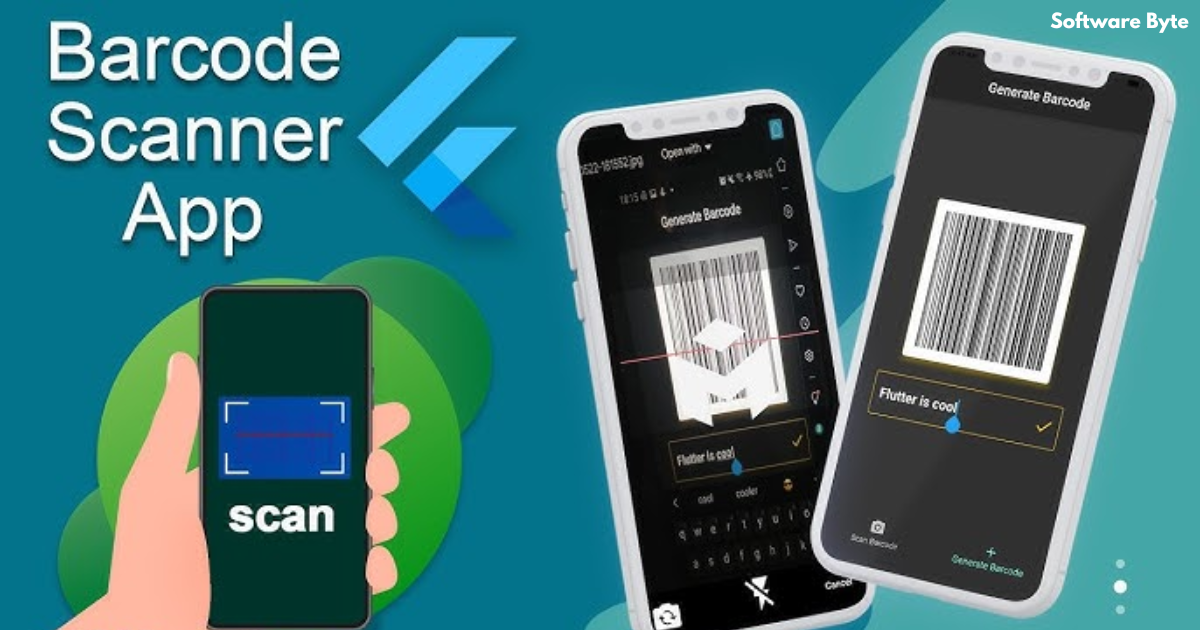
In the modern digital landscape, barcodes are everywhere. They are the silent workhorses of retail, logistics, healthcare, and countless other industries, enabling rapid and accurate data capture. For developers creating Windows applications, the ability to integrate barcode reading functionality directly into their software can be a significant competitive advantage. This is where specialized libraries like Barcode Reader for .NET come into play. This comprehensive guide explores what this technology is, how it works, its key features, and how developers can leverage it to build powerful, barcode-enabled applications.
Understanding the Importance of Barcode Reading
Before diving into the specific tool, it is important to understand why barcode reading capabilities are so valuable for modern applications.
The Role of Barcodes in Data Capture
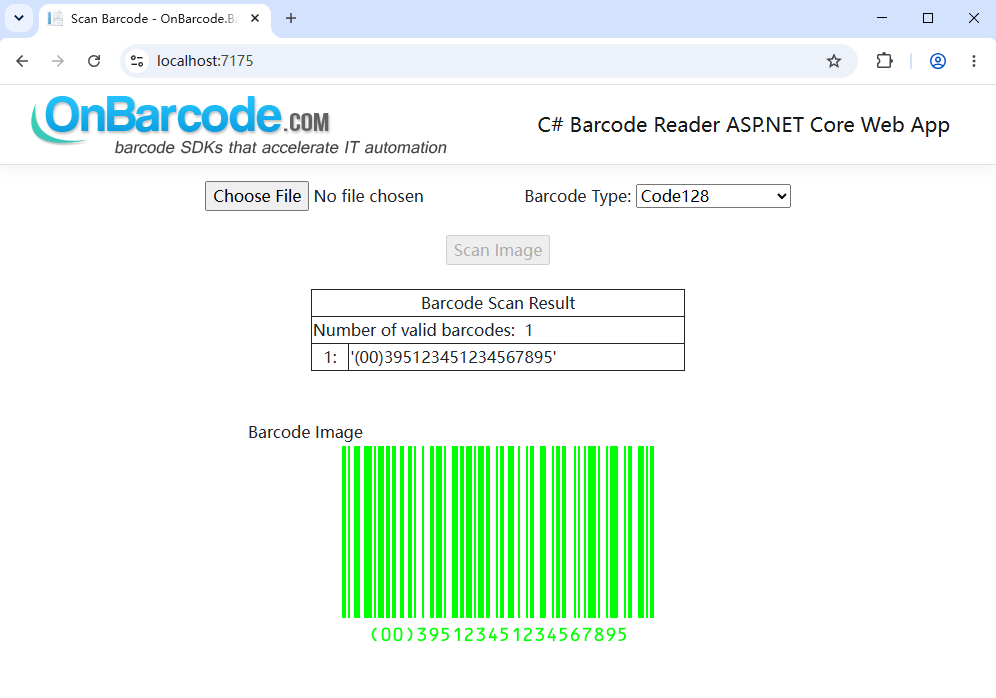
Barcodes are machine-readable representations of data. They are designed to be read by optical scanners, which translate the pattern of bars and spaces (or in the case of 2D barcodes, a matrix of dots) into digital information. This process, known as barcode decoding or recognition, is the key to their widespread adoption.
The Need for Software-Based Barcode Reading
While dedicated barcode scanners are common, they are not the only solution. Software-based barcode reading offers distinct advantages:
- Cost-Effectiveness: It eliminates the need for dedicated scanner hardware, allowing users to use existing webcams or document scanners.
- Flexibility: It can be integrated directly into a larger application, providing a seamless user experience.
- Automation: It enables the automation of data entry tasks, reducing human error and increasing efficiency.
- Image Processing: It can read barcodes from stored images (JPEG, PNG, etc.), not just from a live camera feed.
What is Barcode Reader for .NET?
Barcode Reader for .NET is a software library or component designed specifically for the Windows .NET framework. Its primary purpose is to provide developers with a set of tools to add professional barcode reading capabilities to their C#.NET or VB.NET applications. The library allows an application to detect and decode barcodes from a variety of image sources, whether it’s a scanned document, a photo, or a screen capture.
Key Strengths of the Library
1. Supports Multiple Barcode Symbologies
A major advantage of this tool is its support for a wide array of barcode symbologies. It can read:
- 1D Barcodes: This includes universally used types like Code 39, Code 128, UPC-A, EAN-13, and Interleaved 2 of 5, which are common in retail and inventory.
- 2D Barcodes: It supports popular 2D codes like QR Code, Data Matrix, and PDF417, which are increasingly used for mobile marketing, document tracking, and more.
- Postal Barcodes: Some versions include support for postal codes like Postnet and Planet.
2. High Recognition Rate and Fast Reading Speed
Two of the most critical performance metrics for any barcode reader are its recognition rate and speed. The Barcode Reader for .NET is designed to achieve a high recognition rate, meaning it can accurately decode barcodes even under less-than-ideal conditions, such as poor lighting, low resolution, or slight damage to the barcode. It also offers fast processing speed, which is crucial for real-time applications like point-of-sale (POS) systems or automated sorting.
3. Reads Multiple Barcodes from a Single Image
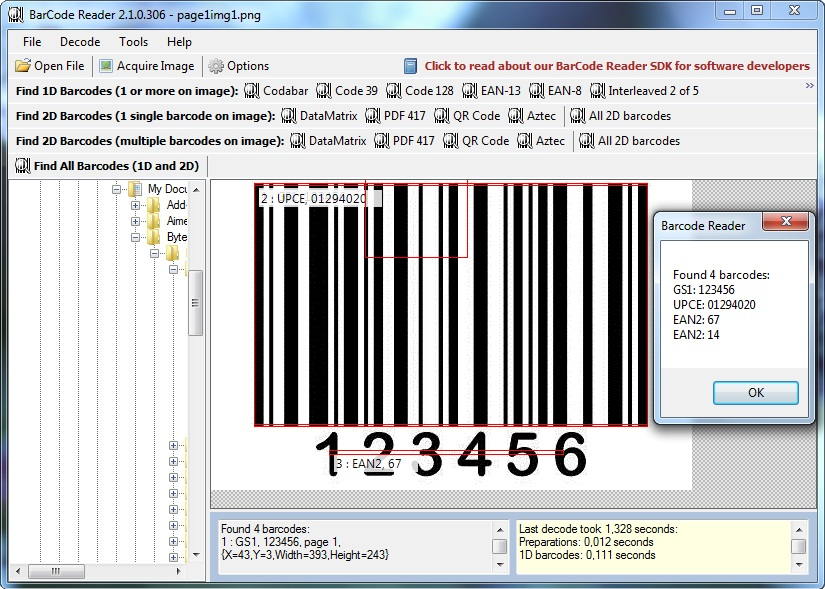
A standout feature is its ability to detect and decode multiple barcodes from a single image file. This is invaluable for document management, where a scanned page might contain multiple forms with separate barcodes, or in manufacturing, where a product might have several tracking codes.
4. Processes Various Image Types
The component is designed to work with a wide range of image formats, including standard formats like BMP, JPEG, PNG, GIF, and TIFF. It can also read barcodes from PDF files. This flexibility means that the tool can handle barcodes from practically any source.
Technical Architecture and Integration
Understanding the technical aspects of how such a reader works and how to integrate it is key for any .NET developer.
How the Barcode Reader Works
The process of reading a barcode with this library typically involves a few steps:
- Image Input: The application provides an image file (loaded from a file or captured from a camera) to the library.
- Image Processing: The library analyzes the image. It may perform tasks like contrast enhancement, noise reduction, and geometric correction to prepare the image for analysis.
- Barcode Localization: The library uses pattern recognition algorithms to locate candidate areas in the image that look like a barcode.
- Decoding: Once a barcode region is found, the library decodes the pattern into a string of text. It uses different algorithms depending on the barcode type (e.g., Code 39, QR Code).
- Result Output: The library returns the decoded data, along with additional information like the barcode type and its location in the image.
Integration with .NET
For a developer, integration is straightforward. After installing the library, they add a reference to it in their Visual Studio project. In their C# or VB.NET code, they can instantiate the barcode reader object and call its methods.
A typical code snippet in C# might look like this:
//This is a conceptual example
BarcodeReader reader = new BarcodeReader();
String result = reader.Read("image.jpg");
if (result != null) {
    // Process the decoded barcode text
    textBox1.Text = result;
} else {
    // Handle the case where no barcode was found
}
The Role of the .NET Framework
As the name suggests, this library is built on the .NET Framework. Its compatibility requires that the target machine have a specific version of .NET installed (e.g., .NET 2.0 or above). For a C# .NET 2005 project, this is a standard requirement and is typically already met on most Windows systems.
Practical Applications Across Industries
Barcode Reader for .NET enables a vast array of practical applications.
In Retail and Point-of-Sale (POS)
Retail applications are the classic use case. A POS system can use the library to decode barcodes from products scanned by a webcam or captured by a scanner. This speeds up checkout, reduces pricing errors, and allows for real-time inventory updates.
In Document Management
In the digital transformation of documents, this tool is essential. It can be used to scan invoices, forms, and contracts. The barcode on each document can encode a unique ID, which the application reads and uses to automatically index, file, and retrieve the document in a digital archive.
In Logistics and Supply Chain
Tracking packages, managing warehouse inventory, and monitoring shipments all rely on barcodes. This library can power applications that scan package labels, automatically updating their status in a tracking system and ensuring items move efficiently through the supply chain.
In Healthcare
In hospitals and labs, barcode technology is used for patient identification, medication management, and sample tracking. By integrating this reader, a medical application can quickly and accurately read patient wristband barcodes to ensure the right medication is given to the right patient or label blood samples correctly.
Frequently Asked Questions (FAQs)
1. What is Barcode Reader for .NET used for?
Barcode Reader for .NET is a software development library used to add barcode reading capabilities to Windows applications built on the .NET framework. It allows developers to create applications that can detect and decode barcodes from images, enabling functionalities like automated data entry, inventory management, and document processing.
2. What types of barcodes can it read?
The library is designed to support a wide range of both 1D and 2D barcode symbologies. This includes common 1D types like Code 39, Code 128, UPC, and EAN, as well as 2D types like QR Code, Data Matrix, and PDF417.
3. What are the system requirements for using this tool?
The primary requirement is that the development environment and the target machine have a compatible version of the .NET Framework installed, such as .NET 2.0 or above. It is also designed for Windows operating systems, including Windows XP, Vista, 7, and 10.
4. Can the Barcode Reader for .NET read barcodes from a webcam?
Yes, the library can process image input from various sources, including a camera or webcam. The developer would write the code to capture a frame from the webcam and pass that image data to the barcode reader library for decoding.
5. What is the significance of its “high recognition rate”?
A high recognition rate means the software is very reliable at correctly decoding barcodes. It can read barcodes even if they are slightly damaged, poorly printed, or taken in less-than-ideal lighting conditions. This reliability is crucial for professional applications where inaccurate data capture can have negative consequences.
Conclusion
Barcode Reader for .NET is a powerful and essential tool for .NET developers looking to integrate barcode scanning into their Windows applications. Its support for a vast array of symbologies, combined with its fast processing speed and high recognition rate, makes it a robust solution for a wide range of professional use cases. The ability to read multiple barcodes from a single image and work with various image formats adds to its flexibility, making it suitable for everything from retail POS systems to complex document management and logistics solutions. By understanding its capabilities and how it integrates with the .NET framework, developers can unlock new levels of efficiency and automation in their software, creating applications that meet the demands of a data-driven world.