Introduction
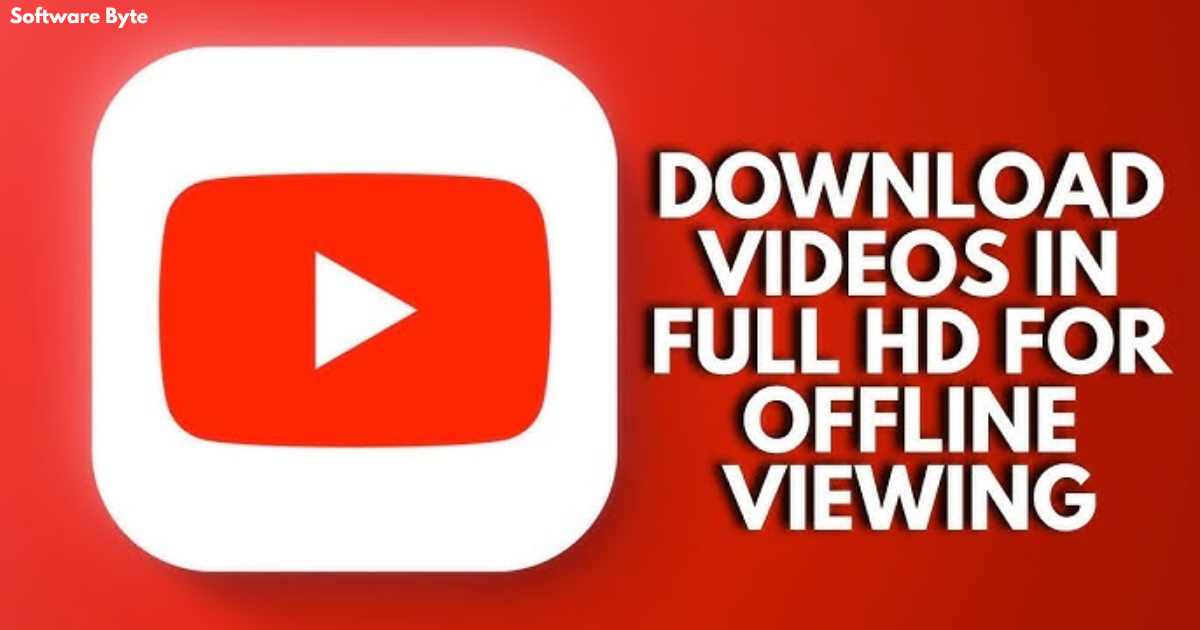
In an age where streaming has become the primary way we consume video content, the ability to watch our favorite videos without an internet connection remains a compelling need. Whether you’re preparing for a long flight, commuting through an area with spotty coverage, or simply want to save on mobile data costs, having a reliable tool to download YouTube videos for offline playback is incredibly valuable. The official YouTube app offers a download feature through its premium subscription, but many users seek alternative, more flexible solutions that don’t require a recurring fee.
Enter the “HD Video Downloader for YouTube for Windows 10,” a straightforward application available through the Microsoft Store that promises to give users exactly what they need: a simple way to download high-definition videos from YouTube and play them offline at their convenience. This app has carved out a niche for itself by focusing on what matters most to users: ease of use and reliable performance.
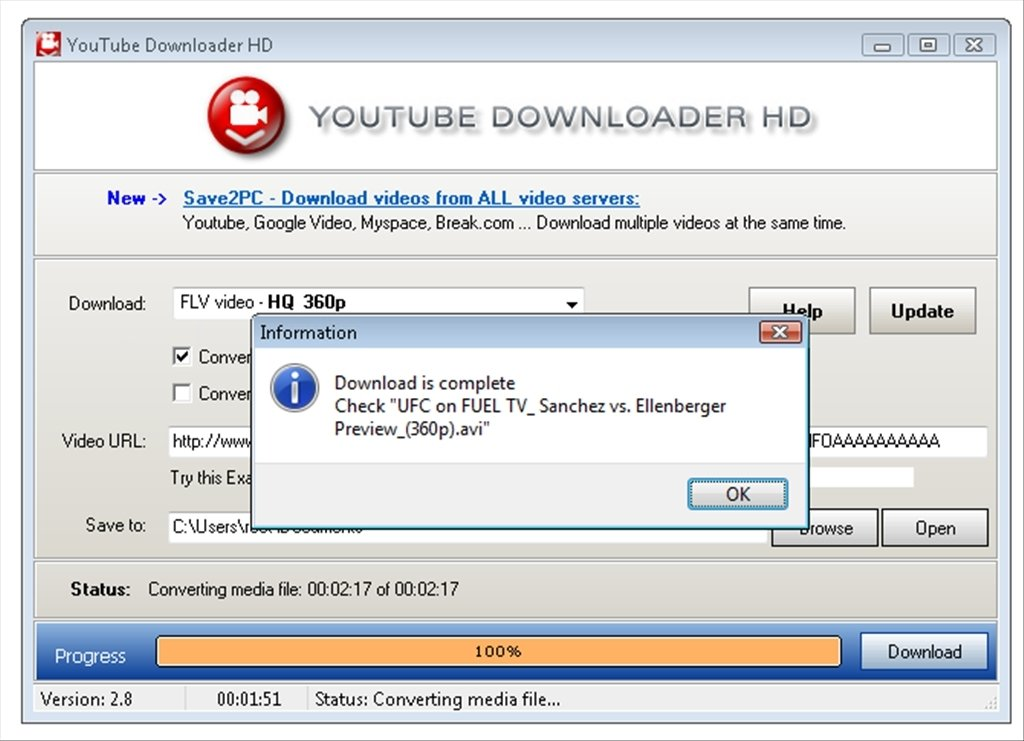
This article takes a deep dive into the world of Windows-based YouTube downloaders, with a special focus on the popular app from the Windows Store. We’ll explore its features, how to use it effectively, its pros and cons, and examine the broader landscape of alternatives to help you make an informed decision about which tool best suits your video-saving needs. Whether you are a student looking to save educational content for offline study, a commuter seeking entertainment without the data drain, or just someone who likes to have their favorite videos close at hand, understanding these tools is crucial in today’s digital world.
Understanding YouTube Downloaders: The Basics
What is a YouTube Video Downloader?
A YouTube video downloader is a software application or online service that allows users to save videos from YouTube directly to their computer or mobile device. These tools create a local copy of the video file, which can then be played back without needing an internet connection . Unlike the offline feature built into the official YouTube app, which often limits playback to the app itself and may expire after a certain period, standalone downloaders give you a file you can move, share (within copyright limits), and play using any compatible media player on your device.
Why Do People Need YouTube Downloaders?
The appeal of these tools is widespread, spanning across various user groups and use cases:
- Frequent Travelers and Commuters: For anyone without constant access to stable Wi-Fi, being able to download videos for offline viewing is a game-changer. You can prepare for a flight or a long commute by saving a playlist of videos to watch, avoiding buffering issues and costly roaming fees .
- Data-Sensitive Users: In many regions, mobile data is expensive or capped. Downloading videos while on Wi-Fi to watch later is a practical way to manage your data usage and avoid exceeding your monthly limit.
- Educational and Archival Purposes: Students, researchers, and professionals often download tutorials, lectures, and documentaries to create a personal archive for offline study or reference . This ensures they can access the material even if the original video is later removed or made private.
- Content Creators: Even creators themselves may use downloaders to keep a personal backup of their own content or to download public domain or Creative Commons videos for use in their projects.
- Unreliable Internet: In areas with inconsistent internet service, having a local copy is a more reliable way to enjoy content without interruptions.
Spotlight: HD Video Downloader for YouTube for Windows 10
An Overview
The “HD Video Downloader for YouTube for Windows 10” is a free app designed to work on the Windows 10 operating system (and likely Windows 11) [citation:URL]. Available for download from the Microsoft Store, it positions itself as a direct and uncomplicated solution for downloading videos from YouTube.
Key Features
Based on the information available, the key features of this app include:
- HD Video Downloads: As the name explicitly states, the app allows you to download videos in high definition (HD), ensuring you get a good viewing experience on larger screens [citation:URL].
- Free to Use: A major draw for users is that it is a free YouTube video downloader, eliminating the need for any upfront investment or subscription, unlike some other popular tools [citation:URL].
- Video Management: The app includes a built-in videos manager. This feature is highly useful for organizing and keeping track of your downloaded videos, as it provides a central hub within the app to access all your saved files [citation:URL].
- Offline Playback: Once videos are downloaded, you can play them back within the app without an internet connection. This is the core functionality that makes the app useful for on-the-go viewing [citation:URL].
- Simple and Easy-to-Use Interface: The app is reportedly designed with a simple and easy-to-use interface, catering to users of all technical skill levels. The goal is to make downloading a video a quick and intuitive process [citation:URL].
Using the App
Using the app is designed to be straightforward. The typical workflow is:
- Installation: The app is downloaded and installed directly through the Microsoft Store. You will need an active Microsoft account to complete this process [citation:URL]. This is the same method you would use to acquire any other app from the official Windows app repository.
- Finding Your Video: The app provides a built-in search interface or, more commonly, works by pasting the YouTube URL of the video you want to download.
- Downloading: Upon pasting the link, the app will analyze the video, present available resolution options, and allow you to start the download with a single click [citation:URL].
- Offline Playback: Once saved, the video will be available in the app’s manager for viewing offline.
What the App Doesn’t Tell You
While the app is straightforward, there are some limitations that users should be aware of:
- Platform Limitation: The app is exclusively designed for the Windows platform, meaning you cannot use it on macOS, Linux, or mobile operating systems like Android or iOS [citation:URL].
- Dependency on the Microsoft Store: This distribution method ensures security and convenient updates but also ties the app’s availability to your access to the Windows Store [citation:URL].
- Feature Focus: The developer description highlights features that are common to many such applications: downloading from various categories (films, sports, games, etc.) and supporting multiple download resolutions [citation:URL]. However, it’s worth noting that not all features that were present in older versions of similar apps (like a specific audio format beyond MP3) are explicitly listed.
How to Use the HD Video Downloader Effectively
Step-by-Step Guide
Here is a detailed guide on how to use the “HD Video Downloader for YouTube for Windows 10”:
Step 1: Download and Install the App
Navigate to the Microsoft Store on your Windows 10 device. In the search bar, type “HD Video Downloader for YouTube” and press Enter. Locate the app developed by “Coder15”. Click “Get” or “Install” to download and install the application on your system [citation:URL].
Step 2: Launch the Application
Once installed, you can find the app in your Start menu. Click its icon to launch it.
Step 3: Find the Video
The interface is typically clean and user-friendly. You have two primary ways to find your content:
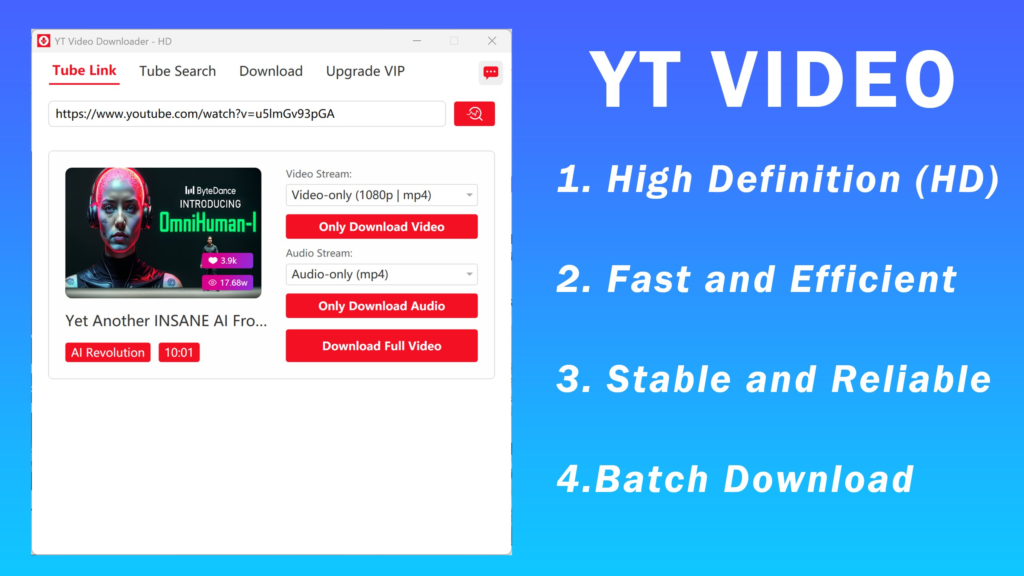
- Using the Built-in Browser: Many users have found that the easiest way is to use the app’s built-in browser to navigate to YouTube and search for the video you want to download.
- Pasting a URL: If you already have the link, you can copy it from your web browser and paste it into the designated field within the app.
Step 4: Analyze and Select Quality
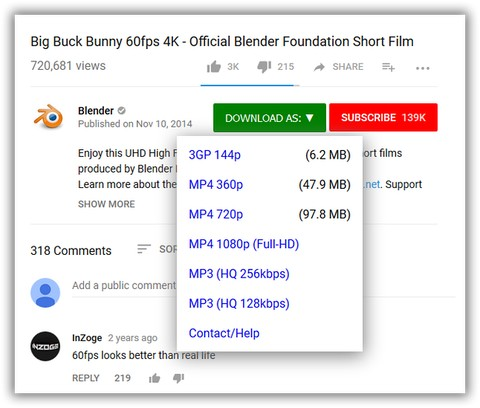
After pasting the link, the app will analyze the video. It will then present you with a list of available download options. The app’s key strength is its ability to download in HD [citation:URL]. You will typically be able to choose from resolutions like 720p (HD Ready), 1080p (Full HD), or perhaps higher or lower depending on the original video’s quality . Select the quality you desire. A higher resolution will result in a larger file size.
Step 5: Start the Download
Once you’ve selected your quality, click on the “Download” button. The app will then begin to save the video to your device. Depending on the size of the video, this could take anywhere from a few seconds to several minutes.
Step 6: Offline Playback
After the download is complete, you can navigate to the app’s “Videos Manager” [citation:URL]. Here, you will find a list of all your downloaded content. Click on any video to play it directly within the app, even if you are not connected to the internet.
Tips for a Smooth Experience
- Stable Internet Connection: A fast and stable internet connection is necessary for a smooth download experience, especially for large HD video files.
- Adequate Storage Space: HD video files, especially in 1080p, can take up significant space (often 1-3 GB per hour). Ensure you have enough free storage on your hard drive.
- Respect Copyright: Always remember to download videos for personal, offline use. Sharing downloaded content or using it for commercial purposes without permission may violate copyright laws.
- Use for Educational and Personal Projects: These apps are excellent for creating a personal archive for study, research, and entertainment, as long as the content isn’t redistributed.
Alternatives to HD Video Downloader for YouTube
The app from the Windows Store is just one of many options. If it doesn’t fully meet your needs, several other reliable and feature-rich applications are available. Many of these are based on popular open-source libraries like yt-dlp .
4K Video Downloader Plus
This is a widely recommended tool known for its simplicity and extensive feature set . It works across Windows, macOS, and Linux.
- Key Features: It supports downloads in up to 8K resolution, can download entire playlists and channels, has a built-in browser, and even includes AI-powered audio processing to clean up or isolate vocals .
- Pricing: It has a free tier that allows you to download a limited number of videos per day, with paid options for unlimited downloads.
Open Video Downloader (youtube-dl-gui)
Open Video Downloader is a user-friendly graphical interface built on top of the powerful youtube-dl tool . It is available for Windows, macOS, and Linux.
- Key Features: The app is cross-platform and supports downloading from YouTube, Vimeo, Twitter, and numerous other platforms. It allows for batch downloads, customizable settings for resolution and format, supports private videos, and uses multithreaded processing for faster downloads .
- Pricing: It is completely free to use .
YouTube Downloader Z
This is another minimalistic and straightforward utility for Windows .
- Key Features: It trades a wide array of custom settings for speed and simplicity. It can grab a video’s title and thumbnail before downloading, and allows you to choose lower resolutions to save storage space .
- Pricing: It is free.
Feature Comparison Table
| Feature | HD Video Downloader for YouTube | 4K Video Downloader Plus | Open Video Downloader |
|---|---|---|---|
| Platform | Windows 10 (Microsoft Store) | Windows, macOS, Linux | Windows, macOS, Linux |
| Max Quality | HD | Up to 8K | Up to available source quality |
| Playlist Support | Not explicitly mentioned | Yes | Yes |
| Free Option | Yes (Free) [citation:URL] | Yes (with daily limit) | Yes (Completely Free) |
| Core Technology | Unknown | Proprietary | youtube-dl |
| Unique Feature | Simplicity and direct Store download | Built-in browser, AI audio processing | Cross-platform, supports many sites |
Pros and Cons of the HD Video Downloader
Pros
- Simplicity: The app lives up to its name with a simple and easy-to-use interface, making it accessible for users who want a straightforward experience without being overwhelmed by options [citation:URL].
- Free of Cost: It is available as a free app, providing an immediate solution without any financial commitment [citation:URL].
- Direct Windows Integration: As a Microsoft Store app, it is designed to run smoothly on Windows 10, promising a degree of security and reliability [citation:URL].
- Offline Playback: It allows users to enjoy their downloaded content offline, which is the fundamental need the app fulfills [citation:URL].
Cons
- Potential for Feature Limitations: Compared to its competitors, the app lacks features like a built-in browser or extensive playlist support. Its functionality is focused solely on core downloading [citation:URL].
- Platform Lock-in: The app only works on Windows devices, which is a significant limitation for users with macOS or Linux systems, or those who want the same tool across all their devices .
- Indirect Distribution: The download link from CNET redirects to the Microsoft Store, meaning you must use that platform to get the app, which some users may find inconvenient [citation:URL].
- Copyright and Legality: Users must be aware of the legal and ethical considerations of downloading videos from YouTube.
The Legal and Ethical Landscape
Copyright and Terms of Service
It’s vital to understand the legal context surrounding downloading videos from YouTube. Google’s Terms of Service explicitly prohibit the downloading or extraction of content from YouTube, except as allowed by a feature of the service itself (like YouTube Premium’s offline feature).
This means that most third-party downloaders technically violate these terms. They provide a way to bypass YouTube’s intended functionality. However, the legal enforcement of these terms is typically focused on those who redistribute or profit from downloaded content, not on individual users for personal, offline use.
Ethical Use
The ethics of using these tools come down to intent and usage. There are many legitimate and ethical reasons to download a video:
- Personal Offline Viewing: Downloading a video to watch on a commute or a flight is generally considered acceptable.
- Educational Use: Saving a tutorial for future reference or study falls under personal use.
- Fair Use: In some cases, downloading a video for criticism, comment, news reporting, teaching, or research may be considered “fair use” under copyright law.
- Archival Purposes: For content that you fear might be removed, creating a personal backup for non-commercial use is another understandable application.
The key is to not use the downloaded content in any way that infringes on the creator’s rights—such as re-uploading it as your own, selling it, or using it in a commercial project without permission.
FAQs About HD Video Downloader for YouTube on Windows 10
1. Is the HD Video Downloader for YouTube for Windows 10 really free?
Answer: Yes, the application is completely free to download and use. According to the source information, it is a “Free YouTube video downloader” and is available at no cost from the Microsoft Store. There are no hidden fees or subscription costs required to use the basic download and offline playback features [citation:URL].
2. What is the maximum video quality I can download with this app?
Answer: The app is specifically designed to download YouTube videos in HD (High Definition). This generally means you can download videos in resolutions like 720p or 1080p, depending on the original quality available for the specific video you are trying to download [citation:URL].
3. Can I download YouTube playlists with the HD Video Downloader for YouTube app?
Answer: The primary source does not explicitly mention playlist downloading as a key feature of this specific app. Other more feature-rich apps like 4K Video Downloader Plus do offer this, but it appears this app is focused on downloading individual videos for simplicity . You would need to download each video individually.
4. Can I use this downloader on Windows 11?
Answer: While the app is specifically named for Windows 10, applications available on the Microsoft Store are generally designed to be compatible with a range of Windows versions. It is highly likely to run on Windows 11, as the underlying architecture is similar. However, it’s always best to check the app’s system requirements in the Microsoft Store page for the most up-to-date compatibility information [citation:URL].
5. How does this app differ from YouTube’s own offline feature?
Answer: YouTube Premium’s official offline feature is a service provided by Google that allows you to download videos within the official YouTube app for a limited time and requires a subscription. In contrast, third-party downloaders like this app save the video as a standalone file on your device, can be played on a wider range of media players, and are typically free. However, they exist in a gray legal area as they bypass YouTube’s Terms of Service [citation:URL].
Conclusion
The “HD Video Downloader for YouTube for Windows 10” provides a valuable service for a specific audience: users looking for a straightforward, no-fuss way to download high-definition videos from YouTube for offline viewing on their Windows PC. Its appeal lies in its simplicity, being readily available from the Microsoft Store at no cost. For someone who just wants a tool that gets the job done without confusing options or the need to understand complex software, this app is an excellent choice.
However, its simplicity also defines its limitations. It doesn’t offer cross-platform support, advanced features like playlist or batch downloading, or the customizability that some power users might crave. Its competitors, like 4K Video Downloader Plus and Open Video Downloader, cater to those who need more flexibility and functionality across different operating systems .
Ultimately, selecting the best tool depends entirely on your personal needs. If you are a casual user of a Windows 10 machine who occasionally wants to save a video for a flight or a commute, the “HD Video Downloader for YouTube” is a perfect, simple solution. If you are a student archiving lectures, a creator managing lots of content, or someone who needs to download videos on a Mac or Linux system, exploring the more powerful free alternatives will likely be more beneficial.
Regardless of which tool you choose, it’s paramount to use video downloaders ethically and legally. Remember to respect copyright laws and the hard work of content creators by keeping any downloaded content for your personal, offline use and not redistributing it. With that in mind, you can enjoy the immense convenience and flexibility that a good video downloader brings to your digital life.