In our digitally driven world, email has become the silent repository of our lives. It holds everything from critical business correspondence and financial statements to cherished personal memories and once-in-a-lifetime conversations. For the millions of users who rely on Yahoo Mail, this digital archive is not just a convenience—it’s a vital asset.
But what happens when that asset is suddenly at risk? Yahoo recently made a significant change to its free storage policy, dramatically reducing the available space from a generous 1TB to just 20GB . For long-time users with years of emails, this shift poses a serious threat: the potential loss of access to decades of digital history. The clock is ticking, and the need to secure your Yahoo data has never been more urgent.
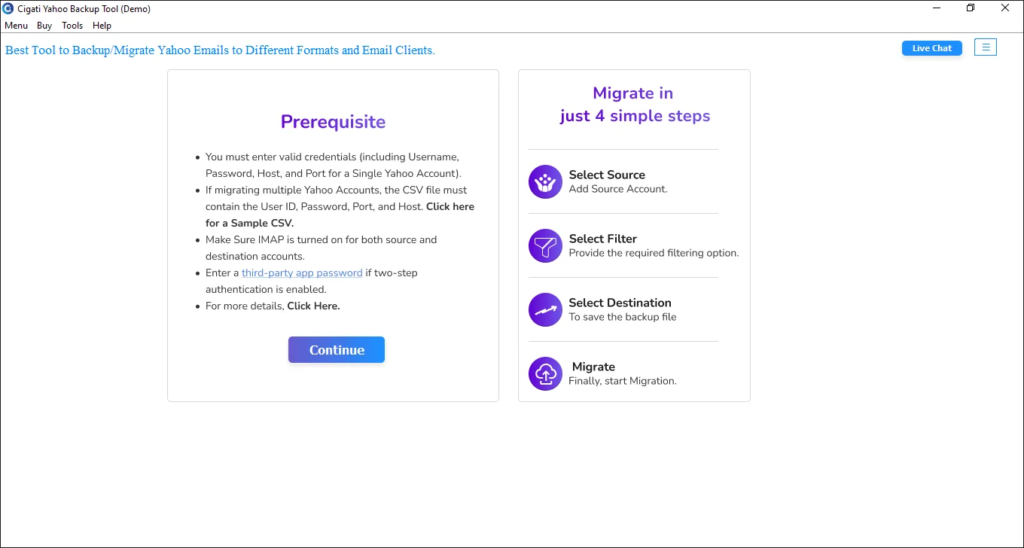
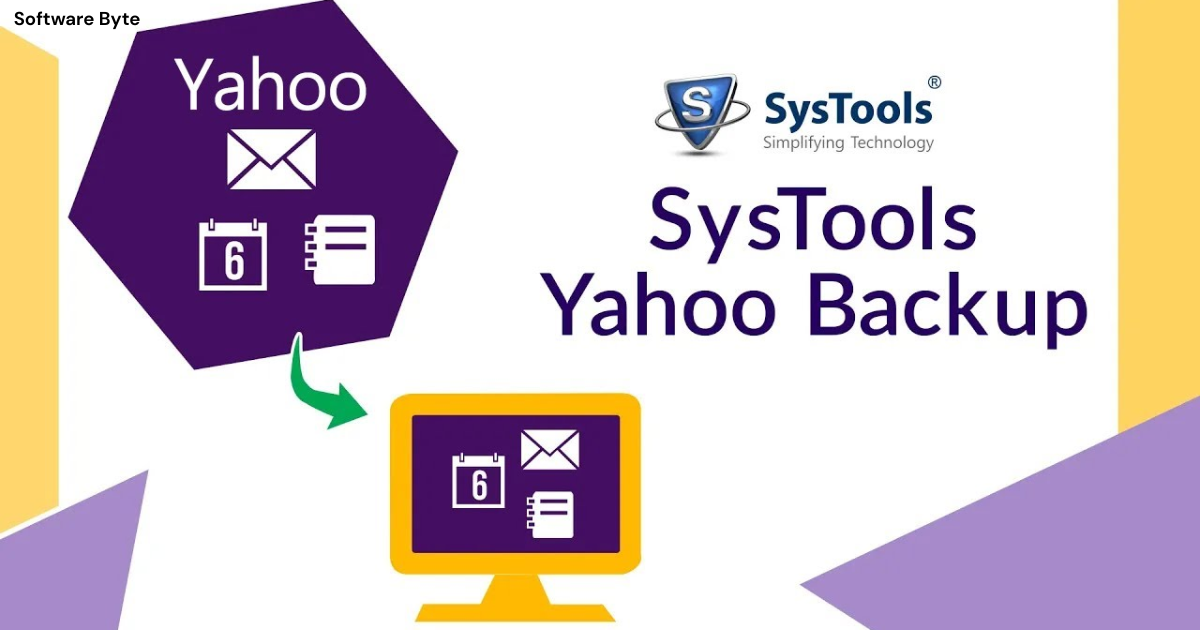
This is where dedicated tools like the Cigati Yahoo Email Backup Tool come into play. Designed to empower users with complete control over their email data, this software provides a simple, efficient, and powerful way to create local backups and migrate emails to other platforms. But what makes it stand out from the crowd, and why is taking action now so critical?
This article will serve as your comprehensive guide. We’ll explore the significance of email backup in the current landscape, analyze the features and benefits of the Cigati tool, and provide practical steps to help you safeguard your digital correspondence. Whether you’re an IT professional managing multiple accounts or a home user wanting to preserve personal emails, this guide is for you.
The Urgent Need for Yahoo Email Backup
The recent changes to Yahoo Mail’s storage policy have created a “perfect storm” for users . The shift from 1TB of free storage to 20GB is a massive reduction that places millions of accounts at risk of exceeding their storage limit and potentially losing access to important data.
Understanding the Yahoo Storage Crisis
Previously, Yahoo’s 1TB free storage allowed users to accumulate years of correspondence without worry. Now, with the 20GB cap, many are finding themselves over the limit .
This means users are faced with a critical choice:
- Pay for a premium upgrade: Yahoo offers a plan that increases storage to 100GB for a monthly fee.
- Take action to manage the data: This involves either deleting old emails to get under the limit or creating a robust, offline backup of the entire mailbox .
For those who cannot or choose not to pay, the need to create a local backup is no longer a proactive suggestion—it’s a necessity. Without it, you risk being locked out of your own account and losing valuable data.
Why a Backup is Your Best Defense
Backing up your Yahoo Mail isn’t just about avoiding a storage crisis; it’s about taking control of your digital life . Here’s why a comprehensive backup is so important:
- Protection Against Data Loss: Emails are stored on Yahoo’s servers, which are generally reliable, but no system is perfect. Hacking, server errors, or accidental deletion can happen .
- Offline Access: A backup gives you access to your emails anytime, anywhere, without needing an internet connection .
- Migration to Other Platforms: If you decide to switch from Yahoo to Gmail, Outlook, or another service, a backup provides an easy way to move all your historical data .
- Peace of Mind: Knowing you have a complete, offline copy of your years of correspondence provides security and peace of mind .
Introducing the Cigati Yahoo Email Backup Tool
The Cigati Yahoo Email Backup Tool is a specialized software solution developed by Cigati Solutions designed to create secure, local backups of Yahoo Mail accounts . More than just a backup tool, it also serves as a powerful migration utility, enabling users to transfer their data to other email clients and cloud platforms.
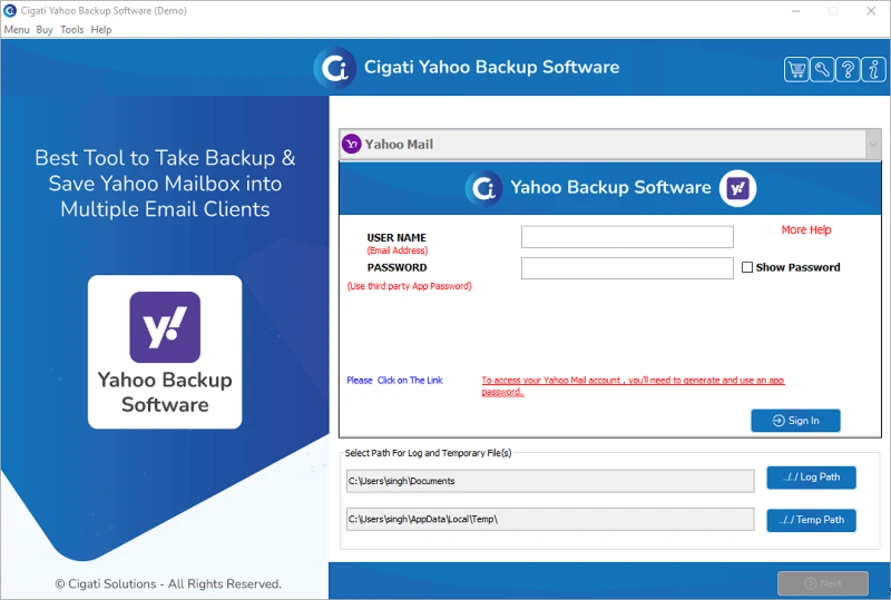
As noted in its description, the tool is designed to be “advanced and secure” with a “simple interface that makes backing up Yahoo emails quick even for non-technical users” . It strikes a balance between professional-grade features and user-friendly operation .
Key Specifications at a Glance
Before diving into the details, let’s look at some key stats about the tool found on its download page and official site .
- Latest Version: 21.9 .
- Platform: Windows (Windows 11, 10, 8, 7) . A Mac version is also available .
- File Size: Approximately 156 MB .
- License Model: Shareware with a free trial. The full version is a one-time purchase with licensing options starting at $69 for a single license .
- Trial Limitation: The free trial allows users to test all features but limits backup to the first 50 emails per folder .
Deep Dive into Core Features
The Cigati Yahoo Email Backup Tool is packed with features that address the diverse needs of users, from simple archiving to complex cloud migration .
1. Comprehensive Format Support and Local Backup
One of the tool’s most significant strengths is its ability to export Yahoo emails into a wide variety of file formats. This ensures that your data is stored in a way that is accessible, portable, and compatible with future needs.
Supported export formats include :
- Email Formats: PST, MBOX, MSG, EML.
- Document Formats: PDF, DOC, DOCX.
- Data Formats: CSV.
This extensive format support allows you to choose the best format for your specific purpose. For example, exporting to PST is ideal for later import into Microsoft Outlook, while MBOX is a more universal format compatible with many email clients like Thunderbird . Saving to PDF or DOC allows for easy reading and sharing on any device . Exporting to CSV creates an organized spreadsheet of email metadata .
The tool allows you to save this backup to your local PC, an external hard drive, or any other storage device you choose, making it incredibly versatile .
2. Direct Migration to Cloud Platforms
Beyond simply creating a backup file, the Cigati tool offers a powerful migration feature that allows you to move your Yahoo emails directly to another cloud email service.
Supported migration targets include :
- Cloud Platforms: Gmail, G Suite (Google Workspace), Office 365 (Microsoft 365).
- Email Clients: Any IMAP-based email client, including Outlook, Thunderbird, Apple Mail, and Windows Mail.
This feature is incredibly useful for users or organizations looking to switch email providers. It allows for a seamless transition of historical email data to the new platform without the complex manual process of downloading and re-uploading.
3. Flexible Backup Modes: Single and Batch
Recognizing that users have different needs, the tool offers two distinct modes of operation :
- Single Mode: Designed for backing up or migrating data from one Yahoo mailbox at a time. This is perfect for personal users or small businesses managing individual accounts.
- Batch Mode: Allows users to process multiple Yahoo mailboxes simultaneously. To use this, you create a CSV file containing the login credentials for all the accounts you want to back up, and the tool handles the rest . This is an essential time-saver for businesses, IT administrators, and service providers managing many accounts.
4. Selective Backup for Precision
It’s not always necessary to back up an entire mailbox. The Cigati tool provides sophisticated filters that allow you to be selective and efficient.
- Folder Tree Structure: When you connect your Yahoo account, the tool displays all your folders (Inbox, Sent, Drafts, custom folders) in a clear, tree-like structure. You can simply check the boxes of the specific folders you wish to back up or migrate, and ignore the rest .
- Date Filter: This feature allows you to set a date range. For instance, you can choose to back up only emails from the last five years. This is perfect for archiving recent projects or for managing storage by leaving old, non-essential emails behind .
5. Advanced Data Management
The tool includes several advanced features to help users maintain a clean and organized mailbox.
- Duplicate Removal: Email accounts can easily get cluttered with duplicates. The Cigati tool includes a feature to detect and remove duplicate emails. You can define the criteria for what constitutes a duplicate, such as matching the “To,” “From,” “Subject,” and “Body” fields .
- Attachment Management: Users have fine-grained control over attachments. You can choose to :
- Backup with attachments: Keep everything intact.
- Backup without attachments: Back up just the message content to save space.
- Save attachments separately: Download all attachments to a specific folder on your PC.
- PST File Splitting: PST files (used by Outlook) can become very large and prone to corruption. The tool includes a feature to split large PST files into smaller, more manageable parts, improving stability and portability .
- Free Up Server Space: This handy feature allows you to delete emails from Yahoo’s servers after they have been successfully backed up, helping you instantly free up storage space .
User Experience and Reliability
A tool’s features are only as good as its performance and ease of use. Based on user reviews and product descriptions, the Cigati Yahoo Email Backup Tool scores high marks in these areas.
Ease of Use
Multiple sources highlight the software’s “simple and intuitive” interface . One review specifically notes it makes the backup process quick “even for non-technical users” . The wizard-driven interface guides you through the steps from selecting your account to choosing output options.
Security and Integrity
Data integrity is paramount during backup processes. The Cigati tool is described as “secure” and ensures “high data integrity” during conversion and migration . It maintains the original folder hierarchy, read/unread status, and email formatting, so your backup is an exact replica of your online mailbox .
Customer Feedback
Aggregated reviews give the tool a solid rating. A summary of 66 reviews from various platforms like G2 and Trustpilot gave the tool an average rating of 4.4 out of 5 stars . Users praise its reliability, ease of use, and the fact that it saves time by handling complex tasks like migration automatically . One review specifically mentions it provides “strong value for money because it includes multiple features in one tool without needing extra software” .
How to Use the Cigati Yahoo Email Backup Tool
Using the tool is a straightforward, step-by-step process. Here is a general guide based on the information from Cigati Solutions and other resources .
Step 1: Install and Launch
Download the Cigati Yahoo Email Backup Tool from the official website or a trusted download platform and install it on your Windows PC.
Step 2: Login to Yahoo
Open the software and click “Continue.” You will be prompted to select Single or Batch mode. For a single account, enter your Yahoo Mail login credentials.
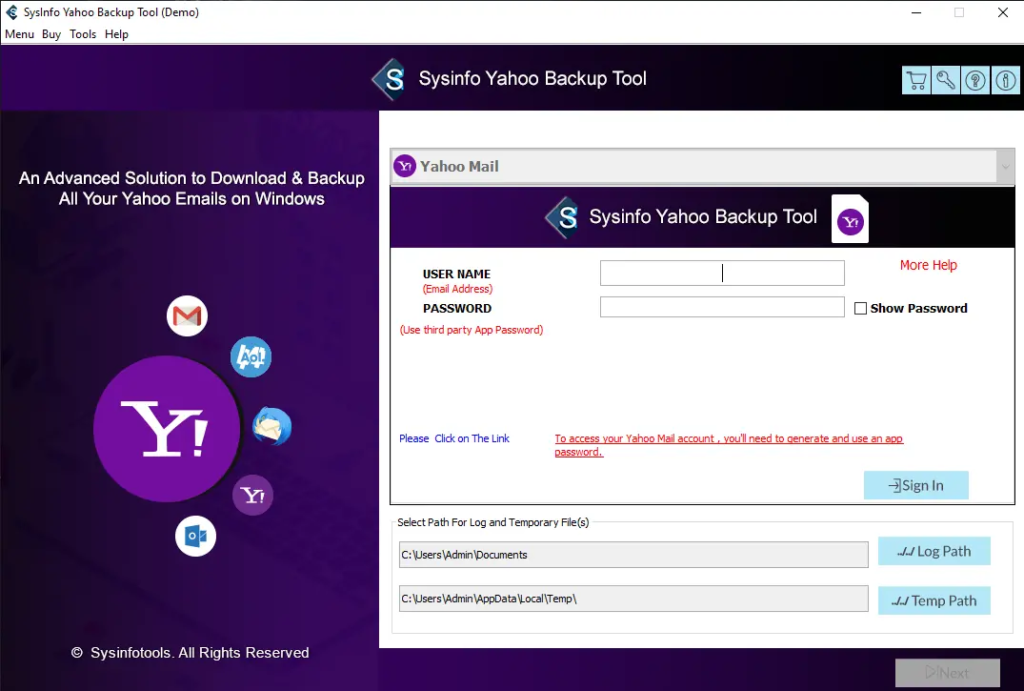
Important Note: Yahoo requires third-party apps to use an “App Password” for security . You will need to generate a unique App Password from your Yahoo account settings to use with this tool.
Step 3: Select Folders and Apply Filters
Once logged in, the tool will display your mailbox folders in a tree structure. Check the boxes of the folders you want to back up. You can then apply the Date Filter to narrow down the emails.
Step 4: Choose Output Format
Decide where you want to save your backup. You will choose:
- Backup Option: Select to save your emails to a local file format (e.g., PST, PDF, MBOX).
- Migration Option: Select to migrate your emails directly to another email client or cloud service (e.g., Gmail, Office 365) and log in to the target account.
Step 5: Set Destination and Advanced Options
Choose a location on your computer or external drive to save the backup file. This is where you can also enable other options like removing duplicates, saving attachments separately, or splitting PST files .
Step 6: Start the Process
Click the “Start Process” button . The tool will now begin backing up your emails. The time required will depend on the size of your mailbox and your internet speed. Once complete, you will have a secure, offline copy of your Yahoo email data.
Comparison to Free Alternatives
While the Cigati tool is a robust paid option, there are free alternatives available, primarily email clients like Mozilla Thunderbird.
The Manual Approach
Using a client like Thunderbird is a popular free method. You install it, connect your Yahoo account via IMAP (which also requires an App Password), let it sync all your emails, and then create local folders to archive them or use add-ons like ImportExportTools NG to export them to MBOX or EML format .
Limitations of Manual Methods:
- Time-Consuming and Complex: Setting up IMAP correctly and managing large downloads can be daunting for non-technical users .
- Risk of Data Loss: Manually exporting can lead to incomplete archives or data structure errors .
- Lack of Advanced Features: Free methods generally lack batch processing for multiple accounts, advanced filters for selective backup, or the ability to export directly to diverse formats like PST or CSV .
- Add-on Dependency: Some functions, like exporting to MBOX, rely on third-party add-ons like ImportExportTools NG, which may not always be available or updated .
Why Choose a Dedicated Tool?
The Cigati Yahoo Email Backup Tool is designed to solve the problems that free methods create. It offers a fast, secure, and comprehensive solution for users and organizations who value their time and data integrity . It handles multiple accounts, complex migration, and advanced file management automatically, ensuring a complete and structured backup. As one review summarized, the Cigati tool is “better value for money” because it combines multiple capabilities in one efficient package .
Frequently Asked Questions (FAQ)
Q1: Does the Cigati Yahoo Email Backup Tool work with two-factor authentication?
Yes, the tool works with Yahoo accounts that have two-factor authentication (2FA) enabled. Instead of using your regular password, you will need to generate a unique “App Password” from your Yahoo account security settings and use that to log in to the backup tool .
Q2: Can I back up my Yahoo emails to an external hard drive?
Absolutely. The tool allows you to select any destination path for your backup, including your local PC, a USB drive, or an external hard drive . This is a recommended practice for an extra layer of data security.
Q3: What is the limitation of the free trial version?
The free trial version of the Cigati Yahoo Backup Tool is fully functional in terms of features, but it has a strict limit: it will only back up or migrate the first 50 emails from each folder in your mailbox . It is designed for testing and evaluation before you purchase a full license.
Q4: Can I use this tool to move my Yahoo emails to a new Gmail account?
Yes, direct migration to Gmail is one of the tool’s core features. After logging into your Yahoo account, you select the “Migrate” option, choose Gmail as the target, and then log in to your Gmail account. The tool will then transfer your selected emails directly .
Q5: Can I back up my emails but skip all the large attachments to save space?
Yes, the tool provides complete control over attachments. You have the option to back up emails without attachments, which can significantly reduce the size of your backup file. You can also choose to save the attachments separately to a different folder .
Conclusion
In a world where digital data is increasingly ephemeral, taking control of your email archives is one of the smartest moves you can make. The recent reduction in Yahoo’s free storage has made the task of backing up and managing your emails more critical than ever. Relying solely on a cloud provider to safeguard years of important correspondence is a risk many users are no longer willing to take.
The Cigati Yahoo Email Backup Tool emerges as a powerful, user-friendly, and comprehensive solution to this problem. Its extensive feature set—from multi-format local backup and direct cloud migration to batch processing and advanced filtering—makes it an invaluable asset for both individuals and businesses. It offers a reliable, secure, and efficient way to create a permanent offline copy of your Yahoo data, ensuring that regardless of what happens to your online account, your digital history remains intact and accessible.
By investing a small amount in a dedicated backup tool, you are investing in the safety and accessibility of your personal and professional history, providing peace of mind for the future.