For PC enthusiasts and system builders in the early 2000s, monitoring the health of a computer was a more hands-on affair than it is today. Motherboard Monitor, a legendary software utility, was a go-to solution for this task. It provided a way to read crucial sensor data directly from the motherboard, allowing users to keep a watchful eye on CPU temperatures, fan speeds, and system voltages. This guide explores the history, features, and legacy of Motherboard Monitor.
What Was Motherboard Monitor?
Motherboard Monitor was a freeware (and later, donationware) utility designed for the Windows operating system. Its primary purpose was to act as a sensor monitor for your PC . It achieved this by interfacing with the hardware monitoring chips commonly found on motherboards, reading their data, and displaying it in a user-friendly format. For a time, it was an essential tool for anyone who wanted to understand the internal workings and health of their computer.
Key Features of Motherboard Monitor
The software offered a range of features that allowed users to keep their systems running safely and efficiently.
Real-Time Sensor Monitoring
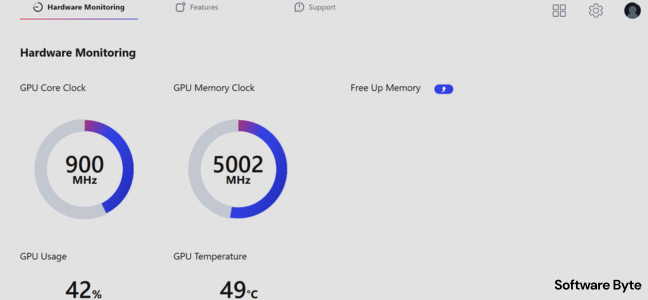
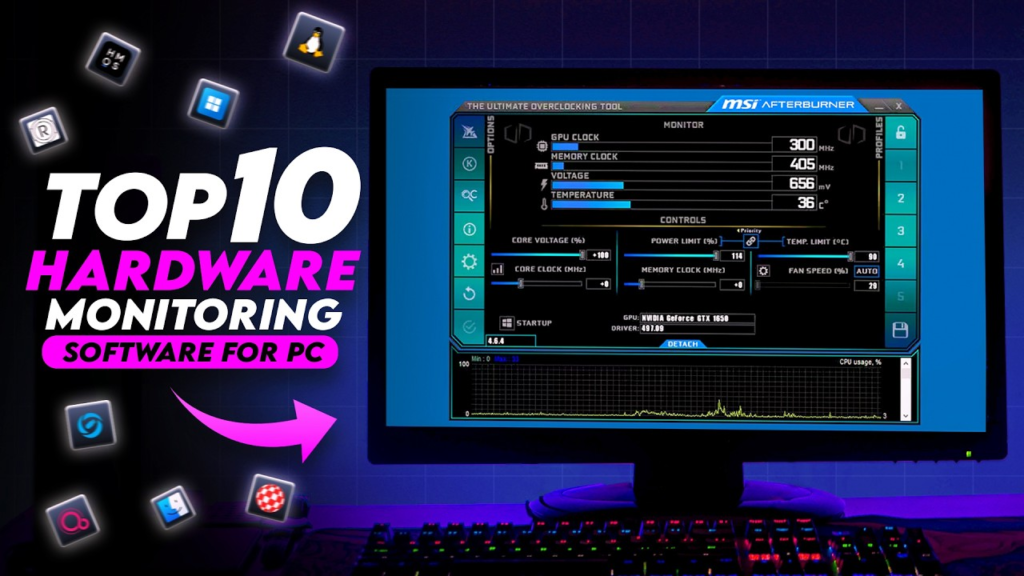
The core function of the program was to display real-time data from your PC’s sensors. This typically included:
- CPU Temperature: Monitoring the processor’s temperature to prevent overheating.
- System (Case) Temperature: Tracking the ambient temperature inside the computer case.
- Fan Speeds: Monitoring the rotation speed of CPU and case fans to ensure they were functioning correctly.
- Voltages: Displaying various system voltages.
This data was presented in a variety of ways, including customizable dials, check boxes, and icons on the taskbar . The ability to see this information at a glance was invaluable for troubleshooting or for peace of mind.
Data Logging and Overheat Protection
One of the more advanced features of Motherboard Monitor was its ability to store data over time. This logging function was useful for tracking temperature trends or diagnosing intermittent issues. More importantly, the program could be configured to automatically shut down an overheated system. This safety feature was crucial for protecting expensive hardware from thermal damage, especially for users who were overclocking their PCs.
Customization and Fine-Tuning
The software offered a significant level of customization. Users could fine-tune the program to display specific sensors and set their own warning thresholds for temperature and fan speeds. This granularity was appreciated by power users who wanted precise control over their system’s monitoring.
The Setup Challenge: Not for Novices
Despite its power and usefulness, Motherboard Monitor was notoriously difficult to set up. It was not a plug-and-play application. The installation process was a significant hurdle for many users.
To set up the software, users first had to know the exact make and model of their motherboard. They then had to navigate a complex configuration process, answering a series of questions about their hardware. The documentation was considered “spotty” and did not always explain every detail, which could stump even some advanced users. As the CNET editors’ review noted, “Setup is not for novices.”
Even if you correctly identified your motherboard, the program often didn’t support it. A significant number of motherboards, especially from manufacturers like HP, MSI, and newer ASUS models, were not recognized by the utility . Furthermore, the program lacked a mechanism to verify if you had input the correct board details, leading to inaccurate readings. User reviews are full of reports of incorrect temperatures (like “minus 178 celcius”) and the software simply failing to work on many systems.
Why Was It So Popular?
Despite its quirks and complex setup, Motherboard Monitor enjoyed immense popularity, with over 327,000 downloads on CNET alone. Its success was driven by a specific need at a specific time. There were few alternatives that offered the same depth of hardware monitoring, and for many motherboard manufacturers, their own bundled software was often poor or nonexistent. It was often the only way to see what was really happening inside your system.
The End of an Era
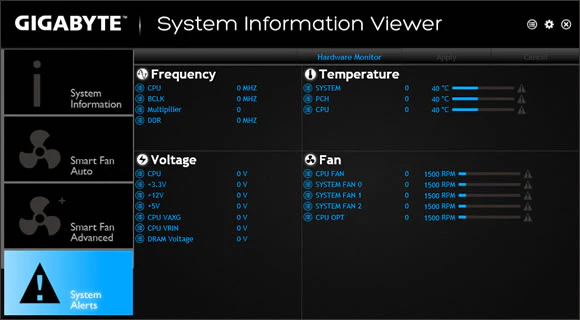
Motherboard Monitor is now a legacy product. The software’s development effectively ended as it was superseded by better, more integrated solutions. Today, the need for a separate tool like Motherboard Monitor has largely disappeared. Modern motherboards from major brands almost always come with their own comprehensive monitoring and control software. Furthermore, there are now superior free third-party utilities like CPUID HWMonitor, Open Hardware Monitor, and SpeedFan, which are more accurate and easier to use.
Frequently Asked Questions (FAQs)
1. What is Motherboard Monitor?
It was a freeware utility for Windows that displayed real-time data from a PC’s motherboard sensors, including CPU temperature, fan speeds, and system voltages.
2. Why was Motherboard Monitor so difficult to set up?
Setting it up was complex because you needed to know the exact make and model of your motherboard and then manually configure the program to match its specific sensors. The process was not user-friendly and often required a significant amount of technical knowledge.
3. Is Motherboard Monitor still useful for modern PCs?
No, Motherboard Monitor is a legacy program and is not compatible or useful for modern PCs. It was designed for older systems and is no longer maintained.
4. What are the modern alternatives to Motherboard Monitor?
Today, users can rely on software bundled with their motherboard, or use free utilities like CPUID HWMonitor, Open Hardware Monitor, or SpeedFan. These programs are far more user-friendly and support modern hardware.
5. Why did users like Motherboard Monitor if it was so hard to set up?
It was, for a time, one of the only free, comprehensive ways to monitor PC hardware sensors. It was particularly popular with system builders and overclockers who needed that information, and it was often better than the limited software provided by motherboard manufacturers.
Conclusion
Motherboard Monitor was a classic piece of software that holds a nostalgic place in the hearts of many early PC enthusiasts. It served a vital role in an era when hardware monitoring was less user-friendly, offering a way to keep powerful and sometimes temperamental PCs running safely. While its complex setup and motherboard compatibility issues were frequent frustrations, its features were, for many, worth the effort. However, time has moved on, and the software’s reign is long over, with modern tools making such monitoring a far simpler and more reliable task.