Read our comprehensive review of Exact Audio Copy (EAC), the free tool for audiophiles seeking perfect, error-free CD rips. Discover its features, accuracy, and learning curve.
Introduction: The Quest for the Perfect Rip
For audiophiles and music archivists, ripping a CD is not a simple task. The goal is to create a perfect, bit-perfect digital copy that captures every nuance of the original recording. Most basic CD rippers can’t achieve this level of accuracy, especially with scratched or damaged discs. Exact Audio Copy (EAC) was built to solve this problem. It is a free utility designed for one purpose: extracting audio from CDs with unparalleled precision. This review explores what EAC is, how it works, and who it’s for.
What is Exact Audio Copy?
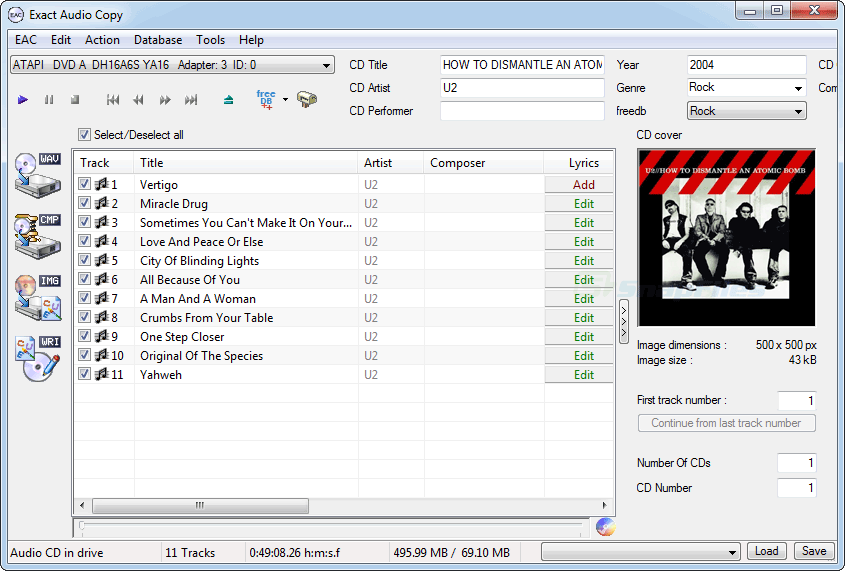
Exact Audio Copy (EAC) is a free CD ripping utility for Windows. It is widely considered the gold standard for audio extraction among audiophiles and music archivists. Its primary purpose is to produce perfect, error-free digital copies of audio CDs.
Unlike standard CD rippers that may skip over errors, EAC uses sophisticated error correction techniques. It is designed to recover audio data from even damaged or scratched discs, making it an essential tool for preserving rare or aging albums. It is free for non-commercial use.
Key Features of Exact Audio Copy
Advanced Error Correction
This is EAC’s most important feature. When ripping a CD, it reads each sector of the disc multiple times and compares the results. If it detects inconsistencies, it will re-read the sector and attempt to correct errors. This process ensures that the resulting audio file is as close to the original as possible.
AccurateRip Integration
EAC can use the AccurateRip database, a community-driven project. AccurateRip compares your rip against thousands of other rips of the same CD. If your rip matches the database, you can be confident it is a perfect copy.
Highly Customizable
EAC offers a vast array of settings and options. You can control:
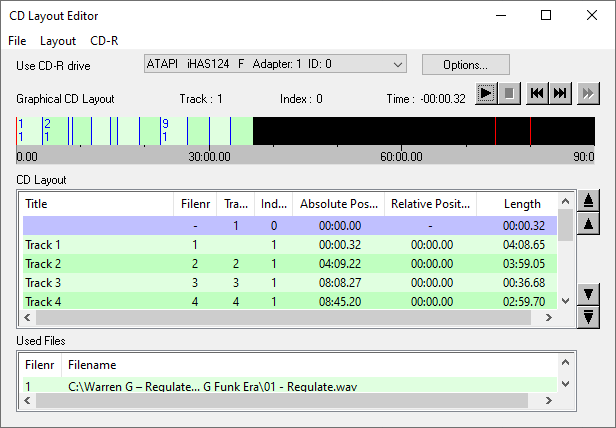
- Drive Settings: Configure the read and offset settings for your specific CD drive.
- Compression: Choose the output format (WAV, FLAC, MP3, etc.) and configure external encoders.
- Metadata: Manage how track information is retrieved and saved.
Detailed Logging
EAC creates detailed log files for each rip. These logs document the entire process, including any errors encountered and how they were handled. This provides transparency and proof of the rip’s quality.
User Experience and Feedback
What Users Like
- Unmatched Accuracy: Users praise its ability to create near-perfect rips, even from damaged discs.
- Reliability: It is known for its stable and consistent performance.
- Customizability: Advanced users appreciate the granular control over settings.
What Users Dislike
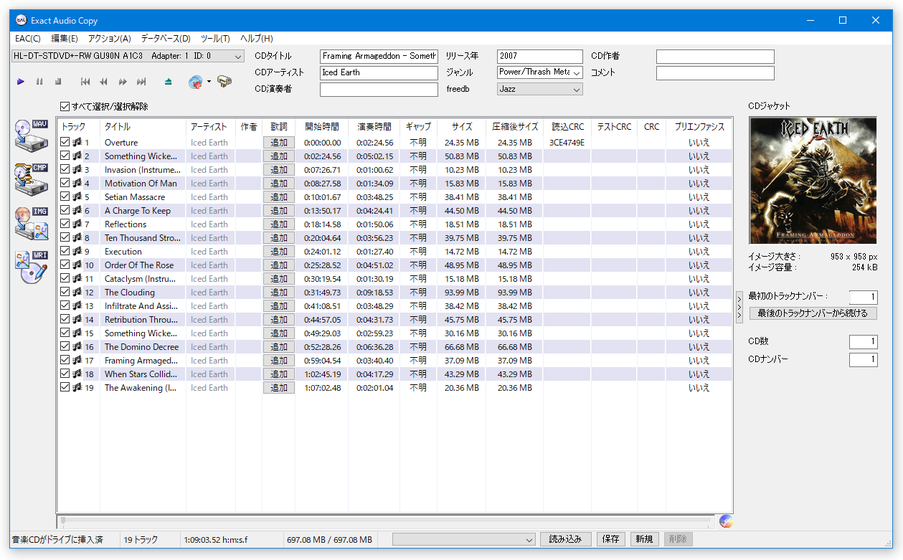
- Steep Learning Curve: The software is not beginner-friendly. The interface is dated, and configuring it properly can be overwhelming for first-time users.
- Dated User Interface: The design has changed little over the years and looks very old-fashioned.
- Slower Ripping Speed: The accuracy-focused process is significantly slower than basic rippers.
Important Note on Downloads
A significant number of user reviews on CNET complain about the official download page containing adware or misleading download links. Great care must be taken when downloading EAC. It is strongly recommended to download it only from the official website to avoid unwanted software.
Who Is Exact Audio Copy For?
- Audiophiles: Anyone who demands the highest possible audio quality.
- Music Archivists: Those preserving rare or valuable CD collections.
- Users with Damaged Discs: Anyone who needs to recover audio from scratched CDs.
- Power Users: Users who are comfortable with technical settings and customization.
Frequently Asked Questions (FAQs)
1. Is Exact Audio Copy free?
Yes, Exact Audio Copy is free for personal, non-commercial use.
2. Is Exact Audio Copy better than iTunes for ripping CDs?
For users who demand perfect accuracy, especially with damaged CDs, EAC is far superior to iTunes or Windows Media Player.
3. Why is Exact Audio Copy so slow?
EAC prioritizes accuracy over speed. It reads each sector multiple times to ensure a perfect copy, which makes the process slower.
4. What is the AccurateRip database?
AccurateRip is a community database that stores checksums of tracks ripped from CDs. EAC can compare your rip to this database to verify its accuracy.
5. How do I set up Exact Audio Copy?
EAC requires configuration of your CD drive and encoding settings. There are many guides online, but it is not a simple “plug and play” program.
Conclusion: A Niche Tool for a Specific Purpose
Exact Audio Copy remains the undisputed champion for accurate CD ripping. Its sophisticated error correction and meticulous approach make it an essential tool for audiophiles and archivists. However, its dated interface, steep learning curve, and the need to navigate adware-laden download sites mean it is not for everyone. For those who value accuracy above all else, EAC is a powerful and reliable tool that is well worth the effort to learn.