Read our comprehensive review of Easy File Locker (64-bit), the free tool for protecting files and folders. Discover its features for hiding, locking, and restricting access.
Introduction: Protecting Your Private Files
In a world where our computers hold vast amounts of personal and sensitive information, protecting that data is essential. Whether you share a computer with family members, have colleagues using your work machine, or simply want to add an extra layer of privacy, a file locker can be a practical solution. Easy File Locker (64-bit) is a free, lightweight security tool designed to protect your private files and folders. This review explores its features, its strengths, and who it’s best suited for.
What is Easy File Locker (64-bit)?
Easy File Locker (64-bit) is a free, portable security software for Windows that allows you to protect your private files and folders. It provides a simple way to restrict access to your data by applying a password-protected lock. This tool is designed for personal use, making it easy for anyone to safeguard sensitive information without needing technical expertise. It is known for its lightweight nature and minimal system impact.
The software offers four levels of protection that can be applied individually or in combination:
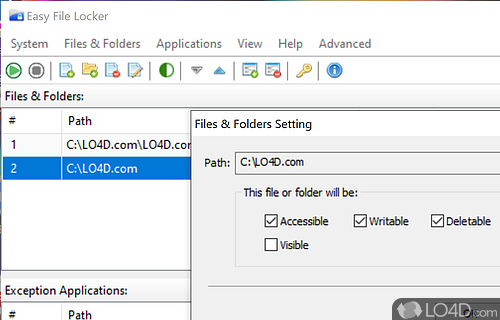
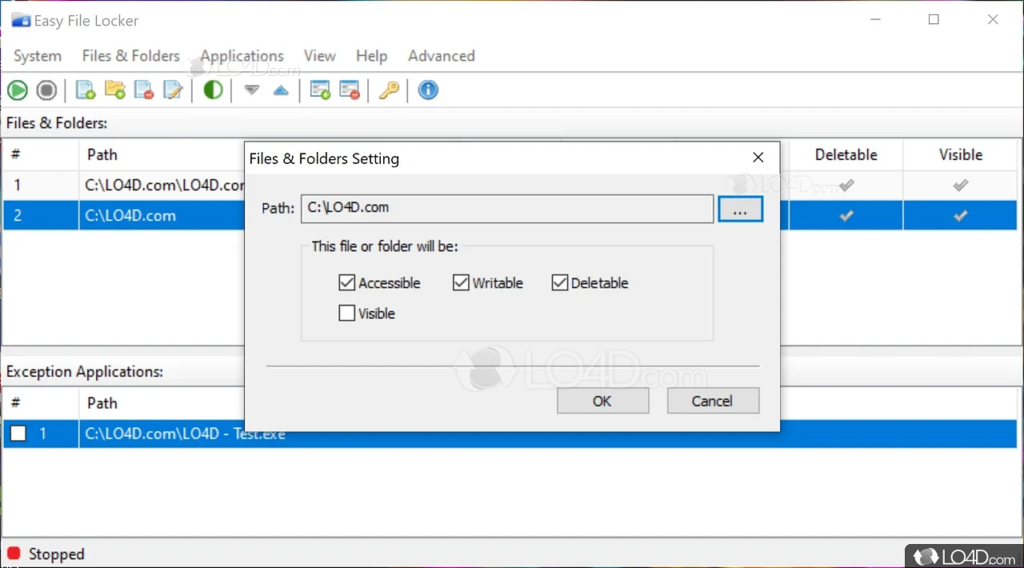
- Non-accessible: Prevents the file or folder from being opened or accessed.
- Non-deletable: Prevents the file or folder from being deleted.
- Non-rewritable: Prevents the file or folder from being modified or changed.
- Non-visible: Hides the file or folder from view entirely.
Key Features of Easy File Locker
Simple and Effective Protection
The tool’s primary strength is its simplicity. The interface is clean and minimal, making it easy to add files or folders and apply protection settings. You can apply the four different protection types to a file or folder with a few clicks. This ease of use makes it accessible for non-technical users.
Password Protection
To ensure that only you can make changes to the protection settings or unlock files, the program can be secured with a master password. This adds a crucial layer of security, preventing unauthorized users from modifying the locks you’ve set.
Lightweight and Non-Intrusive
Easy File Locker is designed to be lightweight and run smoothly without affecting system performance. It uses access restriction methods rather than heavy encryption, ensuring speed and stability are preserved.
Portable
The software does not require installation and can be run from a USB drive, making it convenient for use on multiple computers.
Limitations and Considerations
No Encryption
Easy File Locker does not provide encryption. It locks files by changing access permissions, not by encrypting the data. While this prevents casual access, it is not as secure as encryption. A technically skilled user with physical access to the computer might be able to bypass the restrictions.
Basic Protection
The tool is designed for basic personal protection. It lacks the advanced features of full-featured security suites, such as data encryption, secure file shredding, or activity logging. It is not suitable for enterprise or high-security environments.
Works in Windows Safe Mode
A notable advantage is that the software continues to protect files and folders even when Windows is booted in Safe Mode, providing a higher level of security than some similar tools.
Who Is Easy File Locker For?
- Home Users: For protecting personal files and photos on a shared computer.
- Small Offices: For basic protection of work documents.
- Students: For safeguarding private study materials.
- Users Who Prefer Simplicity: Anyone who needs a simple, no-fuss solution for file protection.
Frequently Asked Questions (FAQs)
1. Is Easy File Locker free to use?
Yes, Easy File Locker is completely free for personal use.
2. Does Easy File Locker encrypt my files?
No, the tool does not use encryption. It protects files by changing their access permissions.
3. How do I lock a file or folder?
You simply add the file or folder to the program’s list and select the protection options (non-accessible, non-deletable, non-rewritable, non-visible).
4. Is there a password to unlock the software?
Yes, you can set a master password to protect the program’s settings.
5. Is Easy File Locker available for 64-bit systems?
Yes, the review is for the 64-bit version, which is optimized for modern systems.
Conclusion: A Simple, Effective Tool for Everyday Privacy
Easy File Locker (64-bit) is a practical and reliable tool for anyone who needs a simple way to protect files and folders on a Windows computer. Its lightweight design, ease of use, and clear restriction options make it an excellent choice for basic personal privacy. While it should not be relied upon for high-security needs, it effectively prevents casual access by other users on the same machine. For everyday users looking for a hassle-free way to lock away sensitive files, Easy File Locker is a solid and dependable option.