Read our comprehensive review of Xpand! 2, the multitimbral workstation plugin from AIR Music Technology. Discover its massive sound library, user-friendly interface, and why it’s a top choice.
Introduction: A Sound Design Powerhouse
In the world of music production, having access to a wide variety of high-quality sounds is essential. Xpand! 2, developed by AIR Music Technology, is a virtual instrument plugin that has become a favorite among producers for its versatility, sound quality, and ease of use. This review explores what Xpand! 2 is, its key features, and who it’s best suited for.
What is Xpand! 2?
Xpand! 2 is a multitimbral virtual workstation plugin designed for music production. It is a software instrument that combines a vast library of sampled instruments and synthesizer sounds into a single, powerful plugin. Originally bundled with Avid Pro Tools as part of the Creative Collection, its popularity led to its release as a standalone product. It is now widely used by producers across genres, from EDM and pop to film scoring and hip-hop.
The plugin allows you to access and layer multiple sounds, making it a practical tool for creating rich, complex patches and full compositions.
Key Features of Xpand! 2
Massive and Diverse Sound Library
One of the plugin’s most significant strengths is its extensive preset library. Xpand! 2 comes with over 2,500 production-ready presets covering a wide range of categories:
- Acoustic Instruments: Pianos, guitars, strings, and brass.
- Synthesizers: Classic analog-style leads, basses, and pads.
- Drums and Percussion: A variety of drum kits and percussion sounds.
- Sound Effects: Ambient textures, soundscapes, and more.
The sounds are well-crafted and designed to fit into a mix, making it easy to find inspiration or the perfect sound for your project.
Multitimbral and Layering Capabilities
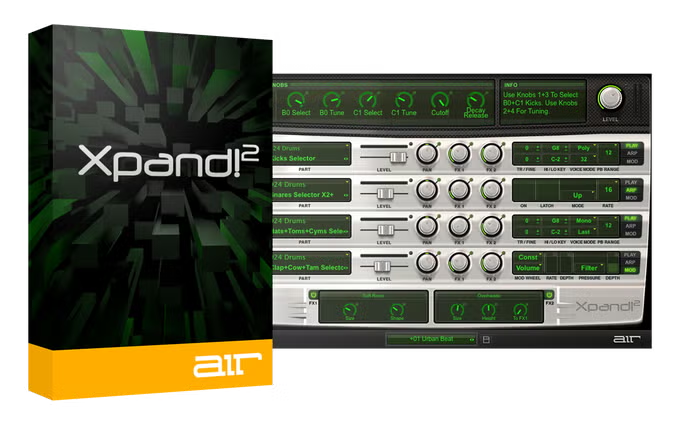
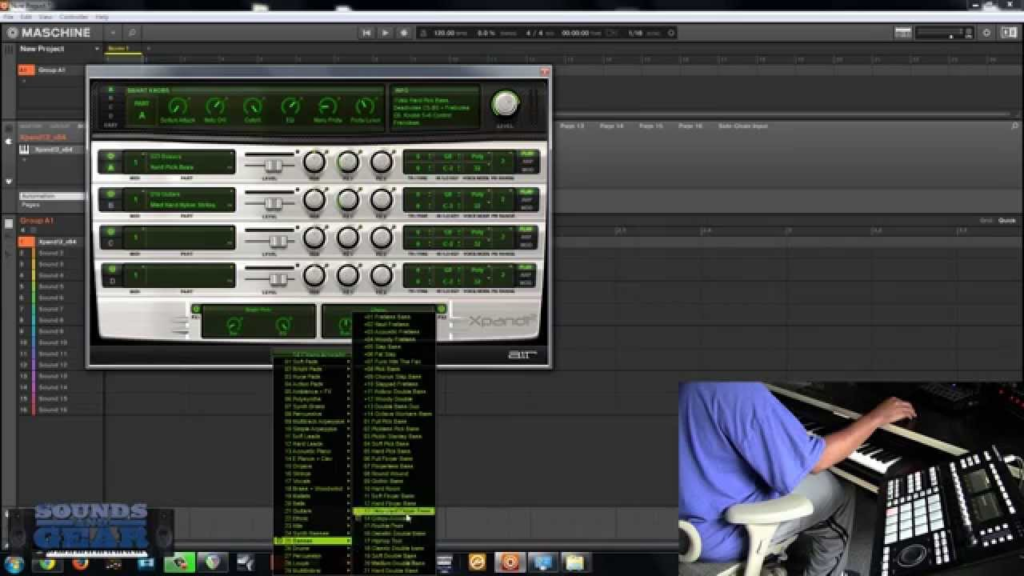
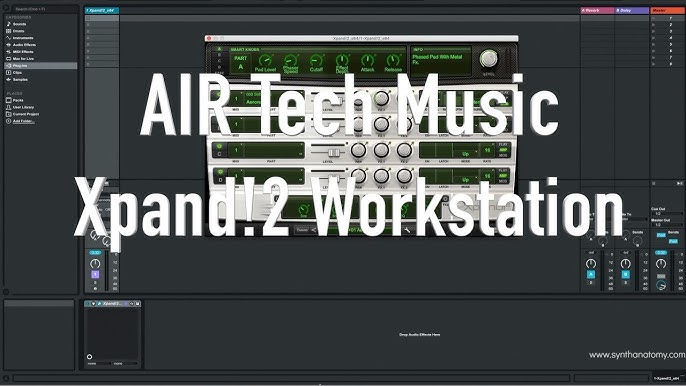
Xpand! 2 is a multitimbral instrument, meaning it can play multiple sounds simultaneously. It features four active sound slots (or “parts”) per patch. This allows you to layer up to four different instruments to create complex, rich sounds. Each part has its own MIDI channel, zone range, mixer, arpeggiator, and effects, giving you immense control over your sound.
User-Friendly Interface
The plugin features an intuitive and streamlined interface. Each sound slot is clearly laid out, making it easy to blend and tweak tones. The layout is designed to reduce the learning curve, allowing both beginners and professionals to work quickly. The simple layout enhances creativity by making sound design accessible.
Low CPU Usage
Xpand! 2 is known for being efficient on system resources, making it ideal for large projects on modest computers. This stability is a major advantage for producers who work with many tracks and plugins.
User Feedback: The Good and The Bad
What Users Like
- Great Value: It offers a vast library of quality sounds at an affordable price.
- Easy to Use: The interface is simple and intuitive.
- Versatile: It works across a wide range of genres.
- CPU Efficient: It is stable and light on system resources.
Common Criticisms
- No Sample Import: The plugin does not allow you to import your own samples.
- Limited Sound Design: It lacks the deep synthesis and sound design capabilities of more advanced plugins like Omnisphere.
- Outdated GUI: The visual design of the interface is considered dated by some users.
Who Is Xpand! 2 For?
- Beatmakers and Producers: For quickly layering sounds and creating beats.
- Songwriters: For finding inspiration and sketching out ideas.
- Composers: For film and media scoring.
- Live Performers: For reliable, fast access to a wide variety of sounds.
- Beginners: As an excellent entry point to virtual instruments.
Frequently Asked Questions (FAQs)
1. Is Xpand! 2 free?
Xpand! 2 is not a free plugin; it is a paid product. It is often available at a very affordable price, especially during promotions.
2. What is a multitimbral instrument?
A multitimbral instrument can play multiple different sounds (parts) at the same time, each on a different MIDI channel. Xpand! 2 has four parts per patch.
3. Can I import my own samples into Xpand! 2?
No, Xpand! 2 does not have a built-in sample import feature. You can only use the factory sounds.
4. Is Xpand! 2 compatible with all DAWs?
Xpand! 2 is available in VST3, AU, and AAX formats, making it compatible with most major Digital Audio Workstations (DAWs).
5. How much CPU does Xpand! 2 use?
Xpand! 2 is known for being very CPU-efficient and can be used in large projects without significant performance issues.
Conclusion: A Reliable and Versatile Workstation
Xpand! 2 remains a highly respected and popular virtual instrument. Its massive sound library, multitimbral layering, user-friendly interface, and low CPU usage make it a reliable and versatile tool for producers of all levels. While it lacks advanced sound design features and the ability to import samples, it excels at providing professional-quality sounds quickly and efficiently. For its price, Xpand! 2 offers exceptional value and is a worthy addition to any producer’s toolkit.